If you're trying to export your code from Base44, you've probably already found the button and then found that what comes out isn't quite the whole app you expected.
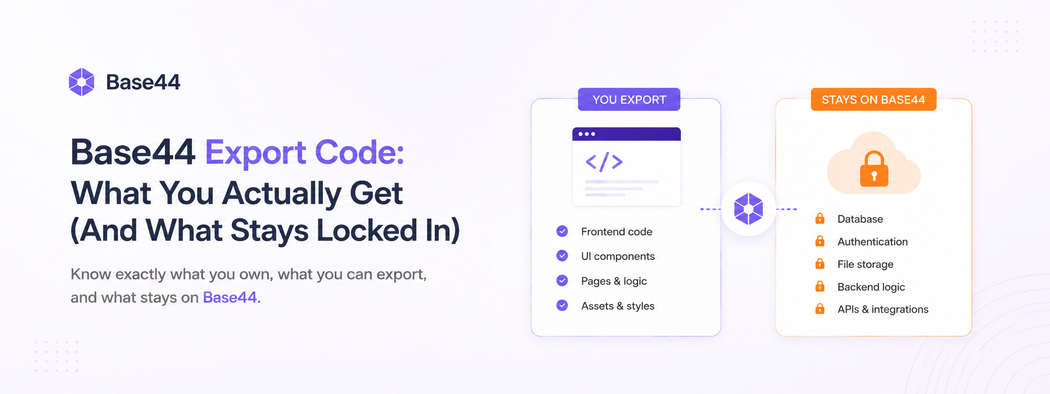
So let's answer the real question plainly: yes, Base44 lets you export code, but it only exports your frontend.
The database, the login, the business logic, and the integrations stay on Base44's servers.
This guide explains exactly what you get when you export, what stays locked in, and how to turn that partial export into a codebase you actually own.
First, some credit where it's due. Base44 is one of the best things that can happen to an early idea. You describe an app, and a few minutes later you have a working one: database, UI, login, hosting, the whole thing. We've said before that it's genuinely impressive, and we meant it.
But there's a moment that comes for a lot of founders who build something real on Base44. Usage grows. A customer asks for a feature the platform won't do. The monthly credit bill starts to sting. Someone on your team asks a reasonable question: "So where does our code actually live?" and the answer is "On Base44's servers, mostly."
That's the moment this article is about.
This isn't a "Base44 is bad, leave now" piece. If you're still testing whether anyone wants your product, stay where you are migrating would be a waste of your time and money.
This is for the founder who already knows the product works, has real users and real data, and has started to feel the walls. The goal here is to explain, in plain terms, what leaving Base44 actually involves, what you can keep, what has to be rebuilt, and how to do it without setting your business on fire.
Let's break it down.
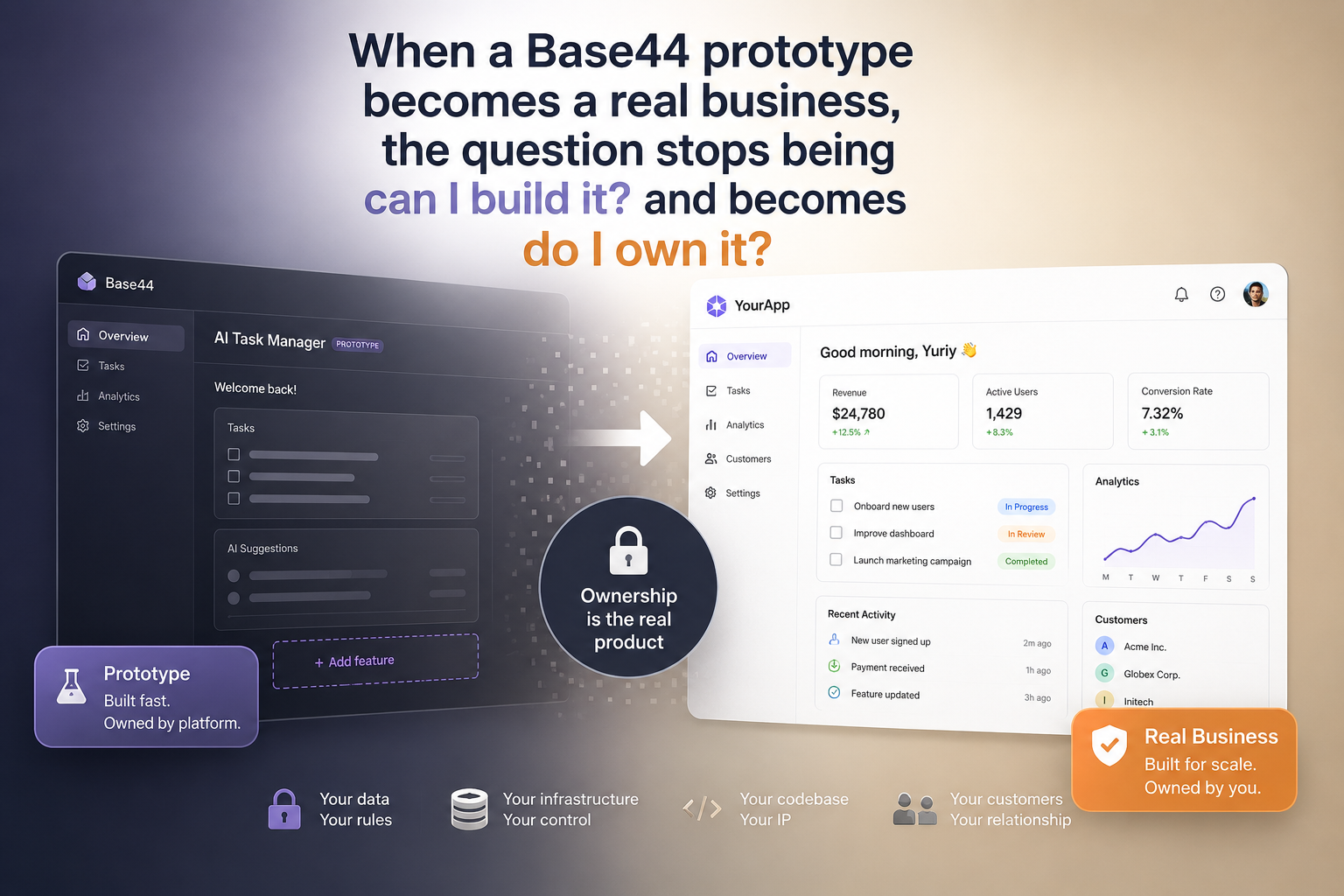
First, Be Honest About Whether It's Time to Migrate From Base44
Migrating off any no-code platform costs real money and real weeks. So before anything else, it's worth being honest about whether you've actually hit a wall or just had a bad afternoon.
You've probably outgrown Base44 if one or more of these is true:
- A feature you need simply can't be built. You've asked, and the answer is a paywall or a flat "not supported." Scheduled jobs, deeper integrations, custom logic that fights the platform's assumptions.
- Performance is degrading and you can't fix it. The app feels slow, and there's nothing you can do about it from inside Base44: no caching, no query tuning, no control.
- The credit bill is climbing faster than your business. Every live action your users take burns integration credits. At scale, that math turns against you, and there's no way to buy your way out except a bigger tier.
- You're handling data you shouldn't handle on a platform like this. Payments, health data, anything regulated. Base44 has no SOC 2 or ISO certification, and post-acquisition there's no support SLA to lean on.
- You need a real mobile app. Base44 builds web apps that can behave like a PWA, but it does not produce a native iOS or Android app you can put in the App Store.
If none of those apply, close this tab and keep shipping. If a few of them made you nod, keep reading.
What Base44 Export Code Actually Gives You (And What It Doesn't)
Here's the single most important thing to understand before you plan anything, because it changes the whole shape of the project.
When people hear "migrate off Base44," they picture a big Export button that hands them their app, which their developer then runs somewhere else. That's not how it works.
Base44 will export your frontend – the React code that draws the screens. What it will not export is the part that makes the app actually do anything: the database, the login system, the business logic, and the integrations.
Those live inside Base44's own managed backend, reached through a single piece of proprietary glue called the Base44 SDK. Every time your app reads data, saves a record, or logs a user in, it's calling Base44's servers through that SDK.
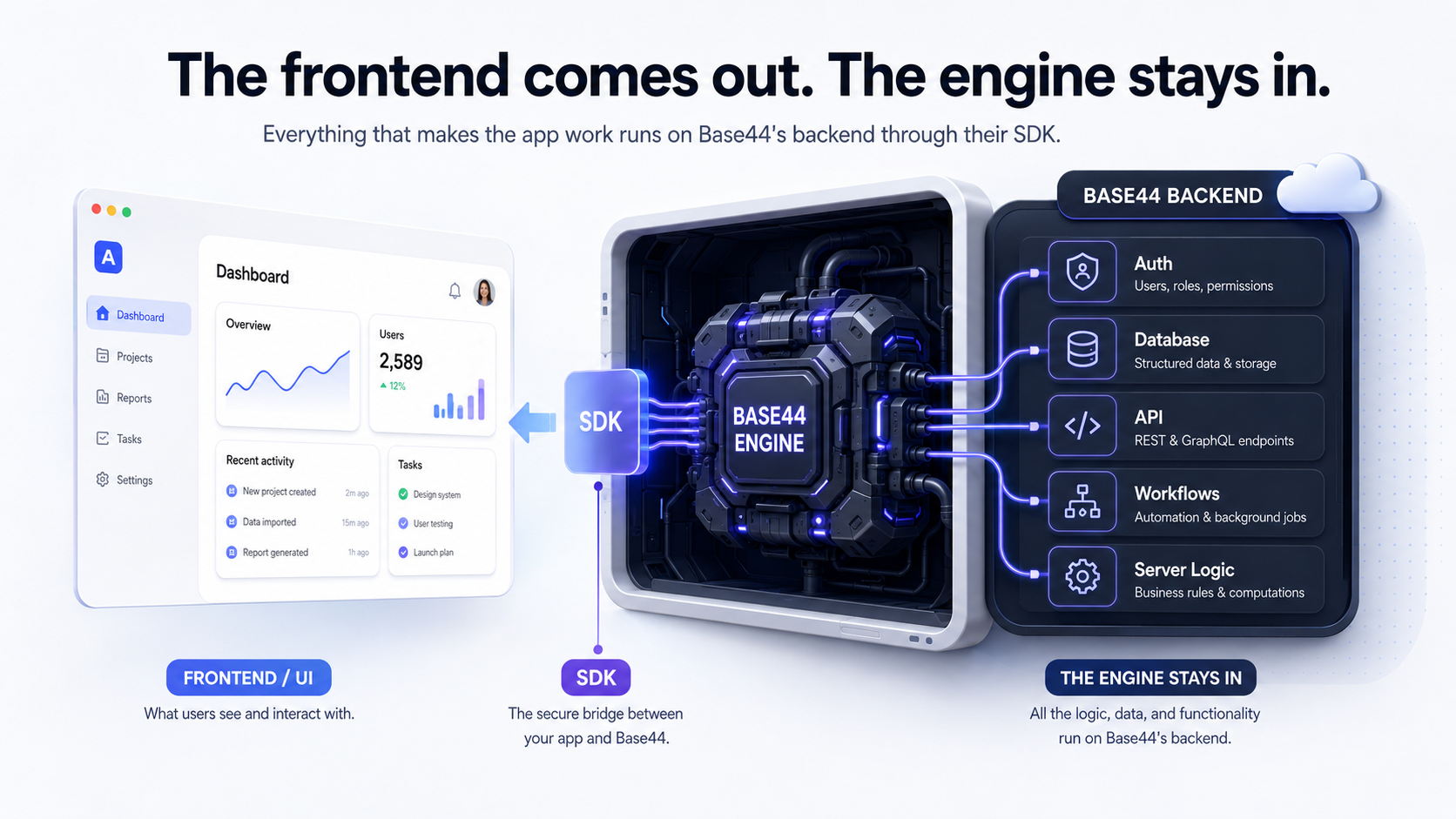
So if you download your code and try to run it on your own, you get a pretty shell: the screens load, and then every button that does something real returns nothing, because the backend it's calling isn't yours and isn't there.
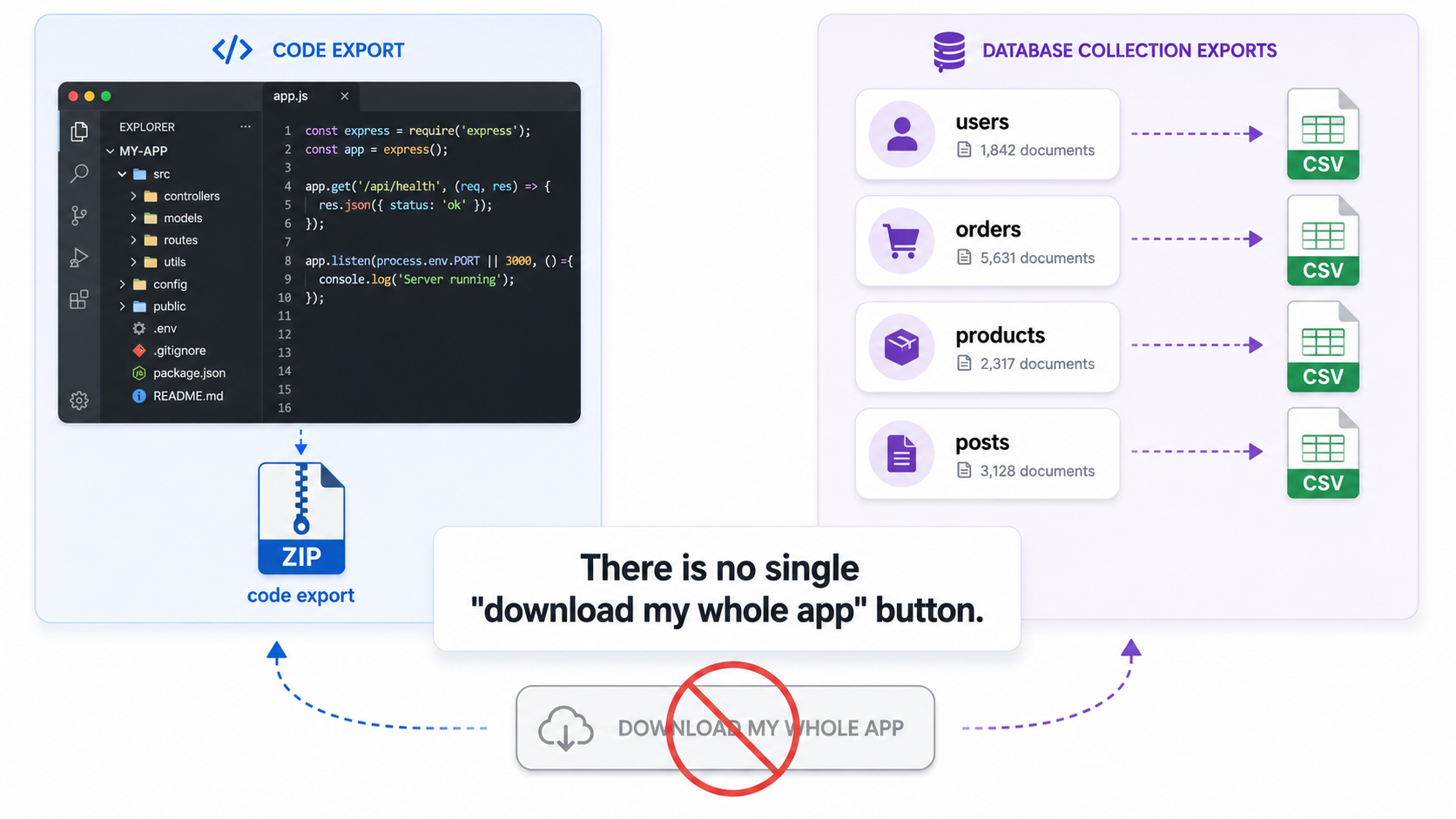
This is what people mean by vendor lock-in. It's not that Base44 is holding your app hostage; it's that the most valuable, hardest-to-rebuild parts of your app were never really yours to take. Even the database only comes out as a set of spreadsheet-style CSV files, one per collection, through a manual export.
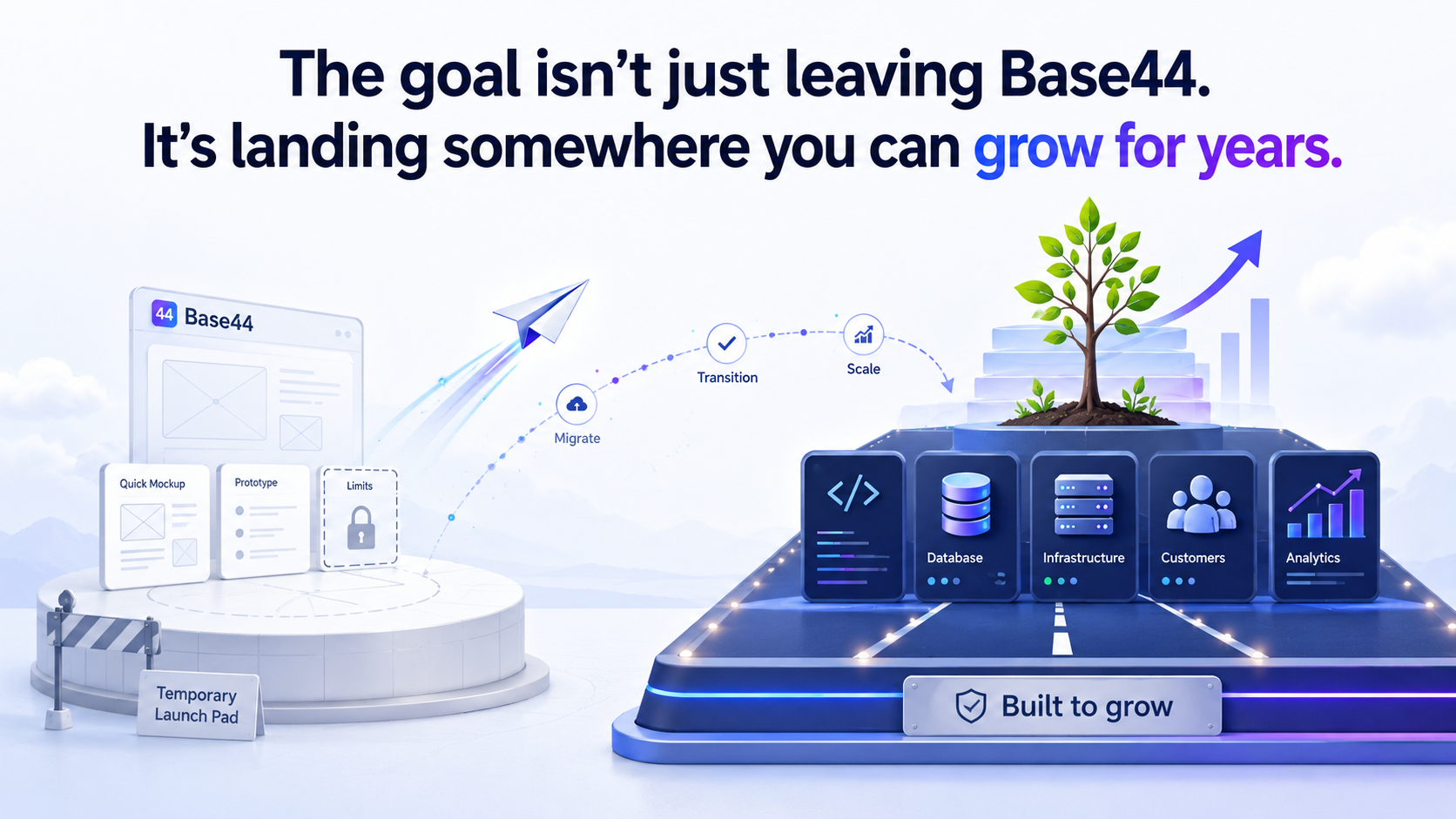
None of this is a scandal. It's the trade you made when you chose an all-in-one platform: you gave up ownership of the plumbing in exchange for not having to build it. That was the right call at the start. Migration is simply the process of buying that plumbing back.
What Migrating From Base44 Actually Means
Because you can't lift-and-shift, migrating off Base44 really means rebuilding the engine while keeping the shell, and doing it piece by piece so your live app never goes dark.
Concretely, that's a real backend to replace the Base44 SDK, a real database to replace their managed one, real login, real integrations, and real hosting. Here's the honest version of what carries over and what doesn't.
| Part of your app | Can you keep it? | What's involved |
|---|---|---|
| The screens (frontend) | Mostly yes | Base44 writes React. A developer keeps the look and layout, rips out the Base44 SDK calls, and repoints them at your new backend. |
| The database | Data yes, structure no | Your data exports as CSV. The shape of it gets redesigned properly in a real database (Postgres). |
| Login / user accounts | Rebuild | Base44's built-in auth doesn't come with you. You move to a real auth setup. Users typically reset their passwords once during the switch. |
| Business logic | Rebuild | The rules that live inside Base44's backend get rewritten in your own backend (NestJS), where you can actually see and control them. |
| Integrations (email, AI, files) | Rebuild, and cheaper | Each built-in service is swapped for the real thing (your own email provider, your own AI keys, real file storage). This also kills the integration-credit meter. |
| Hosting | Rebuild | You move from Base44's hosting to infrastructure you own. |
| A native mobile app | New build | Base44 never gave you one. If you need mobile, this is built fresh (we use Flutter). |
If that table looks like a lot it is, and it isn't. The screens, which are the most visible and fiddly part, are the part you largely keep. The rest is work your developer or agency has done many times before. It's a known project, not a leap into the dark.
How to Migrate From Base44, Step by Step
Here's the sequence we follow. You don't need to understand every technical word this is the version you can read to know what your developer should be doing, and roughly in what order.
Step 1: Get everything out while you still can
Before touching anything, take a complete backup. Upgrade to the Base44 plan that unlocks code export and GitHub sync (annoyingly, the ability to leave is itself a paid feature), then export the frontend code, and separately export every database collection to CSV.
Write down your user roles, your permissions, and every outside service the app talks to. This is your safety net and the raw material for everything that follows.
Step 2: Redesign the database properly
Base44's database is loose by design, it lets you throw data in without enforcing much structure, which is great for speed and messy for a business that's now depending on that data.
Moving to a real database (Postgres) is the moment to give your data a proper, reliable structure: clear tables, real relationships, the guarantees that stop two customers' records from quietly tangling together.
This is a design step, not a copy-paste, and it's worth doing carefully because everything else sits on top of it.
Step 3: Build the real backend
This is the heart of the migration: replacing that Base44 SDK with an actual backend that you own. We build this in NestJS, a well-established framework for exactly this kind of work. Every place the app used to quietly call Base44's servers now calls your own — with your own rules for who can see and do what, written down in code you can read, audit, and change.
Step 4: Move the data across
Now the data from those CSV exports gets transformed into the new structure and loaded into Postgres, carefully, with checks that every record made it and nothing got garbled in translation. On a real cutover, the new database is kept in sync with the live one right up until the switch, so nobody loses a day of orders or sign-ups.
Step 5: Replace login and the integrations
User accounts move to a real authentication setup. Either self-hosted (no per-user fees, maximum control) or a managed service like Clerk or Auth0 (faster to stand up, but you pay per active user).
Because passwords rarely transfer cleanly between systems, the standard, safe move is to email your users and have them reset their password once during the switch.
At the same time, every built-in Base44 service gets swapped for the real thing: AI calls go straight to the provider on your own account, email moves to a proper email service, file uploads go to real storage. A nice side effect: the integration-credit meter that was eating your margin simply disappears.
Step 6: Bring the screens over
The good news you've been waiting for: your frontend is the salvageable part. Because Base44 generates React, a developer keeps your existing screens and design, removes the Base44 wiring, and connects them to your new backend instead.
This is also the natural moment to modernize the frontend (React 19, TanStack) so you're not just escaping Base44 but landing on something current.
Step 7: Put it on infrastructure you own
Finally, the app moves off Base44's hosting onto servers you control. Our default is Hetzner, excellent performance for the price, running your app in Docker containers behind Nginx, with secrets kept in Infisical and automatic deployments through GitHub Actions. In plain terms: your app, on your bill, that your team can update on demand and that nobody can switch off but you.
The one honest trade-off: the operational stuff Base44 handled invisibly (uptime, backups, updates) is now your responsibility. That's the actual price of ownership, and it's why most founders do this with a development partner rather than alone.
Step 8: Add the mobile app you couldn't have before
If part of why you're leaving is that you need a real mobile presence, this is where you finally get one. Since your new backend is a normal, standards-based API, a native app can talk to it directly.
We build these in Flutter – one codebase for both iOS and Android, real push notifications, real device features, and an actual listing in the App Store and Google Play. Not a website in a phone-shaped frame, the real thing.
What This Really Costs You (And What It Buys)
Let's be straight about the trade, because "own your code" sounds free and isn't.
Leaving Base44 costs you a migration project, weeks of work and a real budget, plus taking on responsibilities the platform used to hide from you. That's the debit side.
The credit side is everything the walls were costing you: no more feature you can't build, no more credit bill that climbs with success, no more "our whole business runs on someone else's servers and I don't fully understand the terms." You get a codebase that's genuinely yours: readable, auditable, deployable anywhere, buildable in any direction, and the ability to hire any developer on earth to work on it, instead of only people fluent in one platform's quirks.
For a weekend project, that trade isn't worth it. For a business, it usually is. The tell is simple: if your app failing would be a real problem for real people, it should run on a foundation you control.
Where Perpetio Fits
We do this migration for a living. We've spent a lot of time inside these AI builders specifically to understand where they shine and where they quietly fall apart, Base44 and Bolt.new included, and the stack in this article (React/TanStack, NestJS, Postgres, Flutter, self-hosted on Hetzner) is the one we ship on every day.
If you've built something real on Base44 and you're starting to feel the ceiling, that's not a failure – it's a sign your idea worked. The next step is giving it a foundation that can carry it.
You can explore our full-cycle app development or just talk to us for a straight, no-pressure read on whether it's time to migrate and what it would take.
Base44 Migration FAQ
Can you export your code from Base44?
Partly. Base44 exports your React frontend, but not the backend, database logic, authentication, or integrations because those stay on Base44's servers behind their SDK. The exported code won't run as a working app on its own without a replacement backend.
Does Base44 export the backend?
No. This is the part that catches most people out. Base44's export gives you the frontend code, but the backend, your database, business logic, and the SDK that ties them together, is a proprietary managed service that stays on Base44's infrastructure. To get a working, independent app, that backend has to be rebuilt.
Can I export my Base44 code to GitHub?
Yes, on the paid plans Base44 offers a GitHub integration that syncs your code to a repository. Just remember the same limitation applies: what syncs is the frontend, and it still depends on Base44's backend through the SDK to actually run. The GitHub connection is also effectively one-way, so treat it as an export, not a two-way sync.
Can I self-host a Base44 app as-is?
No. Because the backend and database aren't exportable, there's nothing to self-host directly. Migrating means rebuilding the backend and moving your data to it, then pointing the exported frontend at the new backend.
How do I get my data out of Base44?
Through the data dashboard, you export each database collection separately as a CSV file. There's no single full-database dump, so plan to export every collection and keep those files as your migration source.
Does Base44 make native mobile apps?
No. Base44 builds responsive web apps that can be installed as a PWA, but it does not produce native iOS or Android apps and doesn't support push notifications. If you need a real mobile app, it has to be built separately. We use Flutter.
Will I lose my users' accounts when I migrate?
You keep the user records, but not the passwords. Password data almost never transfers cleanly between auth systems. The standard, safe approach is to email users and have them reset their password once during the switchover.
How long does a Base44 migration take?
It depends entirely on how complex your app is, but the biggest factors are the number of database collections, how much custom logic lives in Base44's backend, and whether you also need a new mobile app. A focused scoping call is the fastest way to get a real estimate.
Should I migrate now or wait?
Wait if you're still validating the idea and haven't hit real limits. Migrate when you're blocked by a wall you can't get past, when costs are climbing with usage, when you're handling sensitive data, or when you need mobile. In short: migrate when the app has become important enough that owning it matters.