Base44 is one of the most talked-about vibe-coding tools right now. You describe what you want, and it generates a working web app: database, UI, and logic included. For the right use case, it’s genuinely impressive.
But “impressive demo” and “production-ready” are different things. We wanted to find out exactly where the line is, not in theory, but by actually building something and pushing it until it stopped.
So we ran an experiment. We built the same app twice: once in Base44, once with Claude Code in a standard Next.js project. Same features, same requirements, same order of prompts. Then we kept adding functionality until one of them couldn’t continue.
It didn’t take long.
The App: An Expense Tracker with Live Exchange Rates
Simple enough to build in a day, complex enough to be realistic. The requirements:
- Add expenses with title, amount, currency (USD, EUR, GBP, UAH), date, and category
- Convert all amounts to UAH using current exchange rates
- A settings page where rates can be updated manually
- A button to fetch live rates from an external API
- Automatic rate refresh on a schedule — no manual action required
That last requirement is where things got interesting.
Part 1: Building in Base44
Step 1: Generating the app
Prompt used:
“Create an expense tracker app. Users can add expenses with: title, amount, currency (USD, EUR, GBP, UAH), date, and category. Show all expenses in a table. Add a summary that shows total amount converted to UAH.”
One prompt. Base44 produced a complete expense tracker with a clean UI, summary cards, and color-coded category badges. It also added a full authentication system, login, register, forgot password, reset password, without being asked.
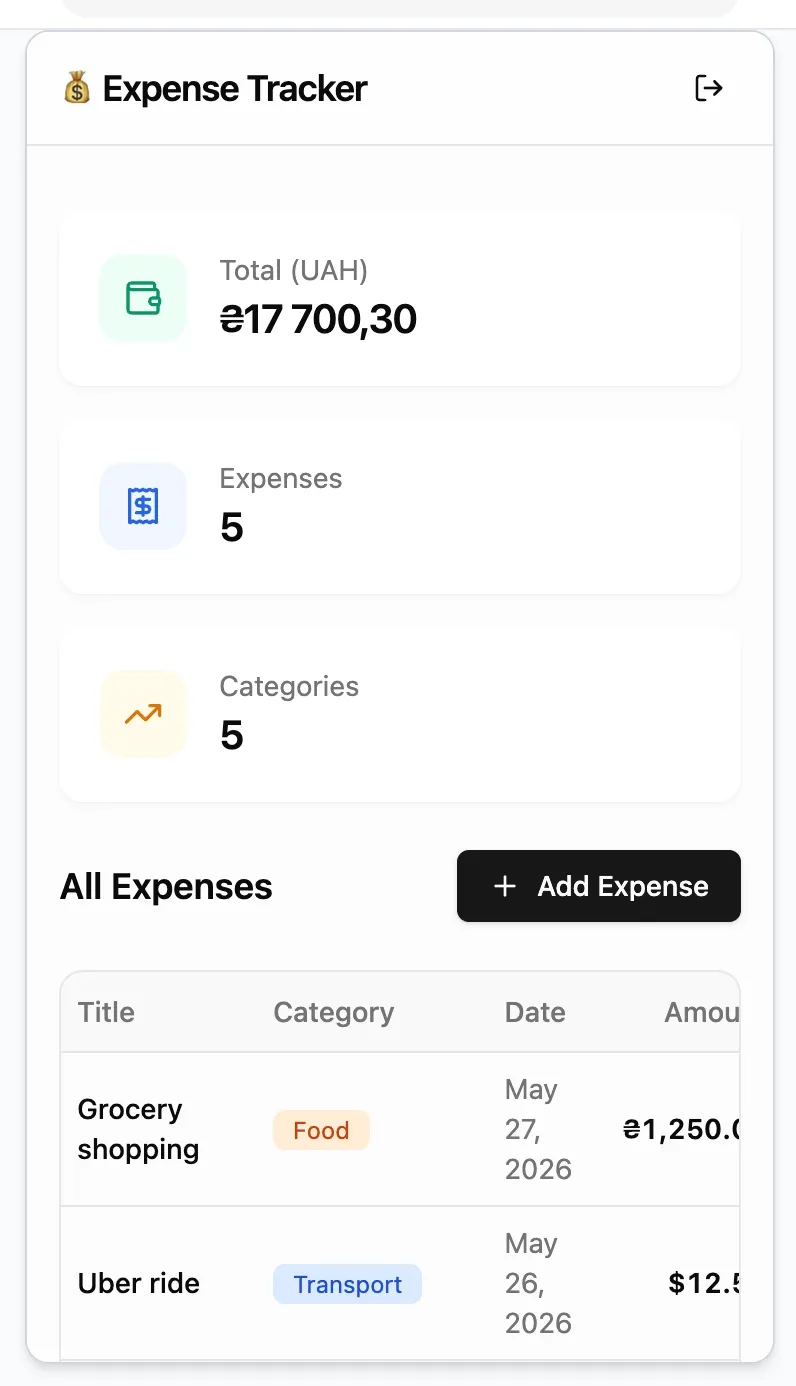
The speed is real. This took minutes.
Step 2: Adding a settings page with exchange rates
Prompt used:
“Add a currency rates section. Store USD, EUR, GBP rates to UAH in the database. Add a settings page where I can manually update the rates. Use these rates to calculate UAH totals in the expense table.”
Base44 created the entity, the settings page with rate inputs, and wired the rates into the expense table.
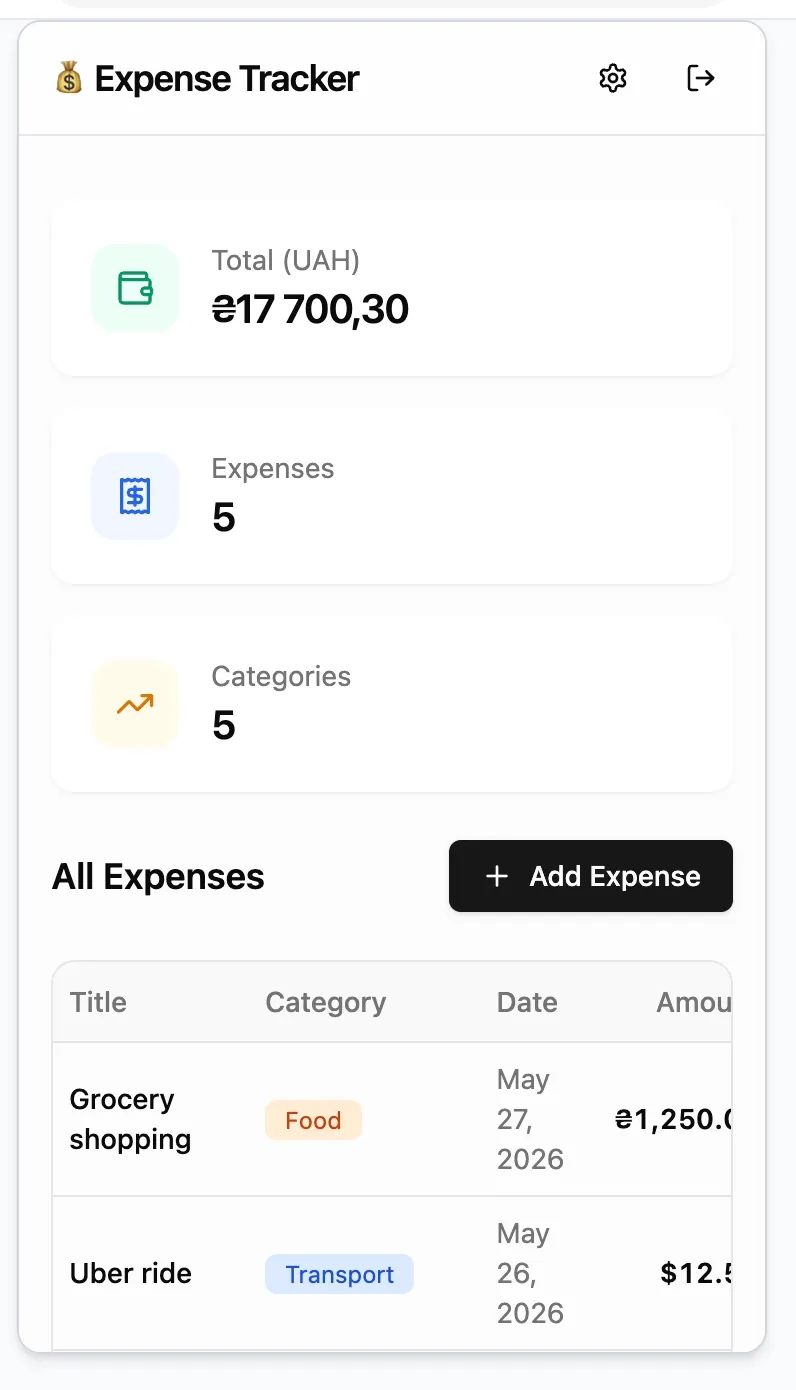
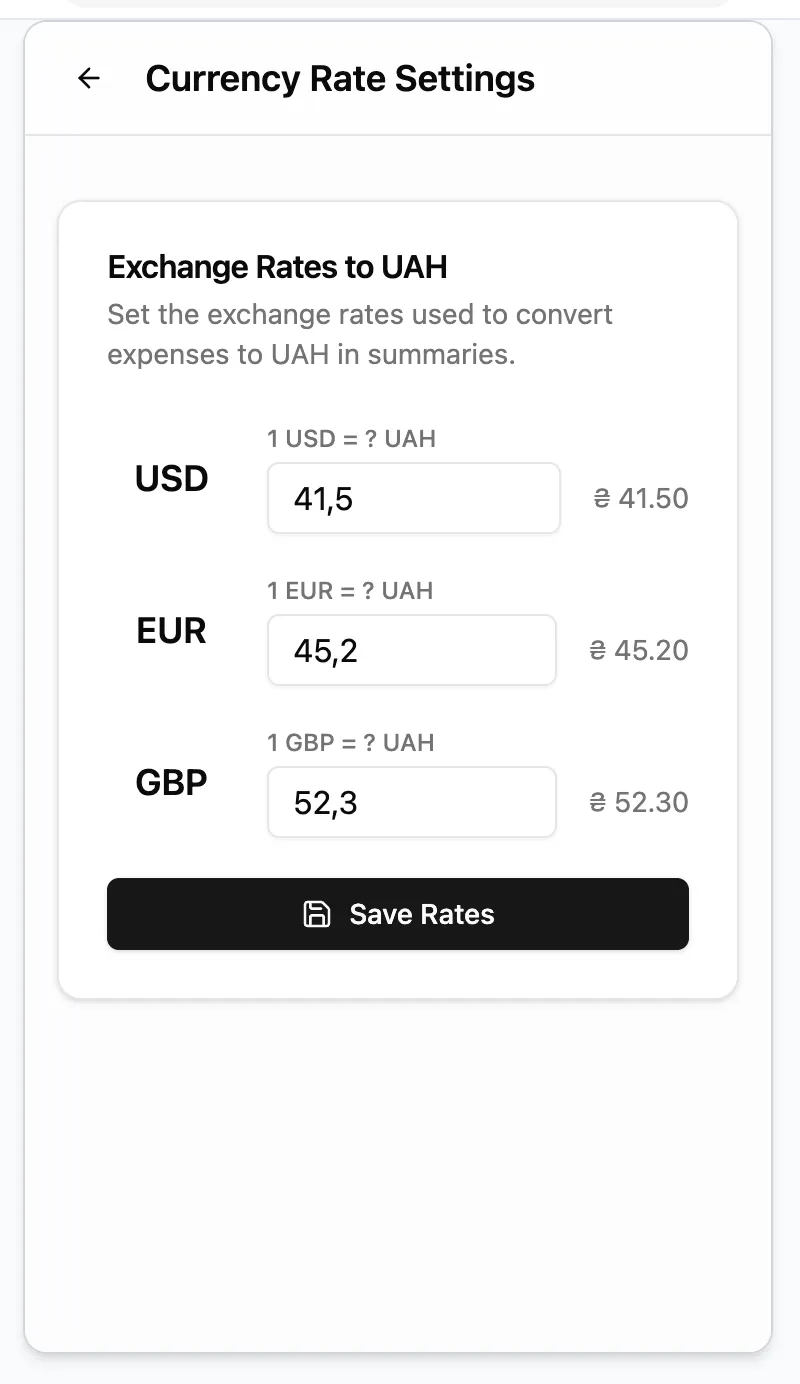
Settings icon appeared in the header after the second prompt
Two prompts in. The app works. This is Base44 doing what it’s designed to do.
Step 3: Connecting a live exchange rate API
Prompt used:
“Add a button ‘Refresh rates’ that fetches current USD, EUR, GBP to UAH rates from https://api.frankfurter.app/latest?to=UAH and saves them to the database.”
Base44 added the button. We clicked it.
It spun forever.
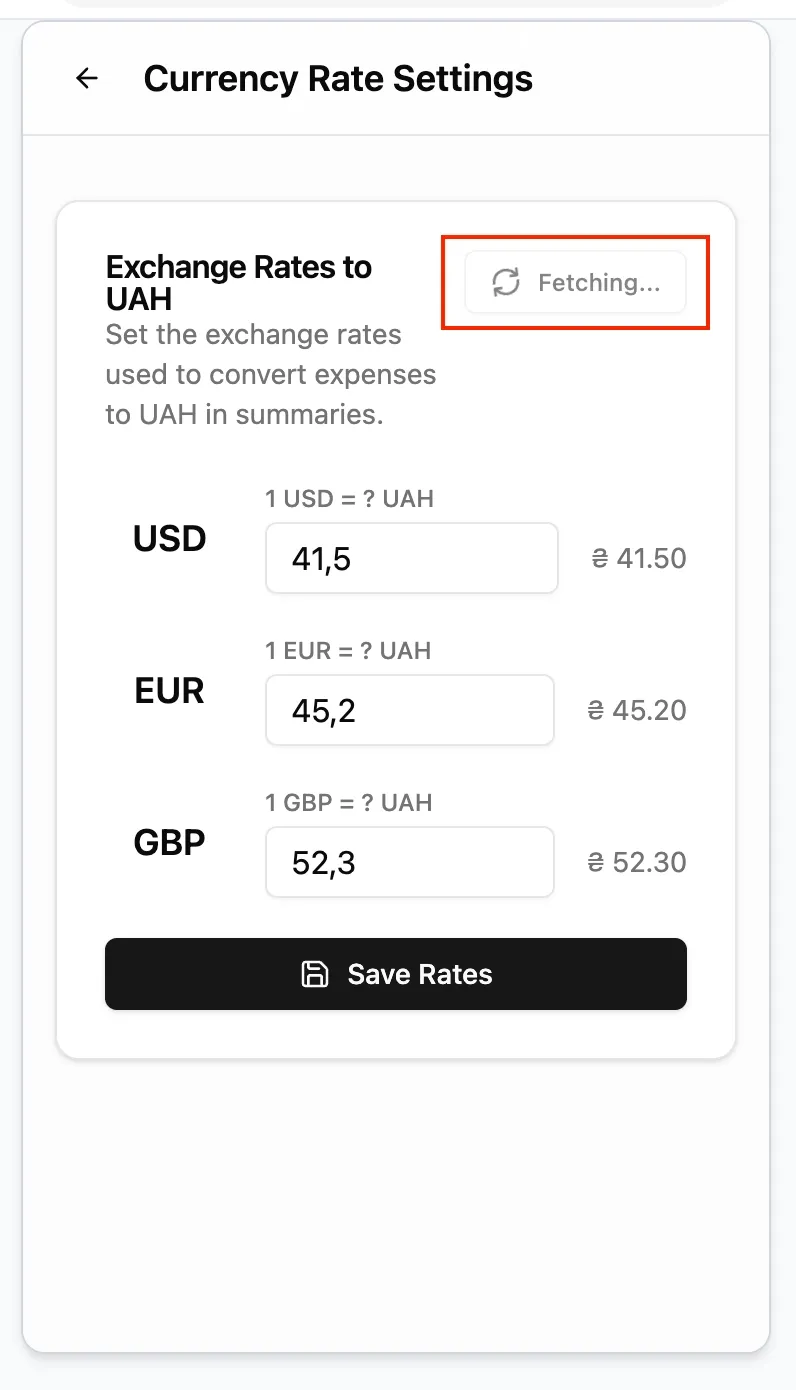
No error message. No indication of what went wrong. To find out what happened, we had to open the browser’s own DevTools and look at the Network tab manually — stepping outside the platform entirely to debug what the platform had generated.
The problem: api.frankfurter.app doesn’t include UAH in its dataset and silently returned {"message":"not found"}. Base44 generated the API call, called a broken endpoint, swallowed the error, and left the UI stuck. There’s no console, no server logs, no stack trace inside Base44. When something breaks, you’re on your own.
Step 4 — Reporting the bug and requesting automation
This is where both issues got combined into a single prompt — because we were already at prompt four of five available for the day:
Prompt used:
“1. it loads endlessly 2. Now make the rates update automatically every day at 9:00 AM without me pressing the button.”
Base44 diagnosed the bug (setRefreshing(false) was never called on error — missing try/finally), fixed it, and switched to a different API endpoint. The “Refresh Rates” button now works.
There’s an interesting footnote here. The root cause of the bug — using api.frankfurter.app which doesn’t support UAH — was something Claude Code had already caught and fixed on its own during the parallel build. When we used the same finding to fix Base44 (switching to open.er-api.com with the correct cross-rate math), the button started working there too.
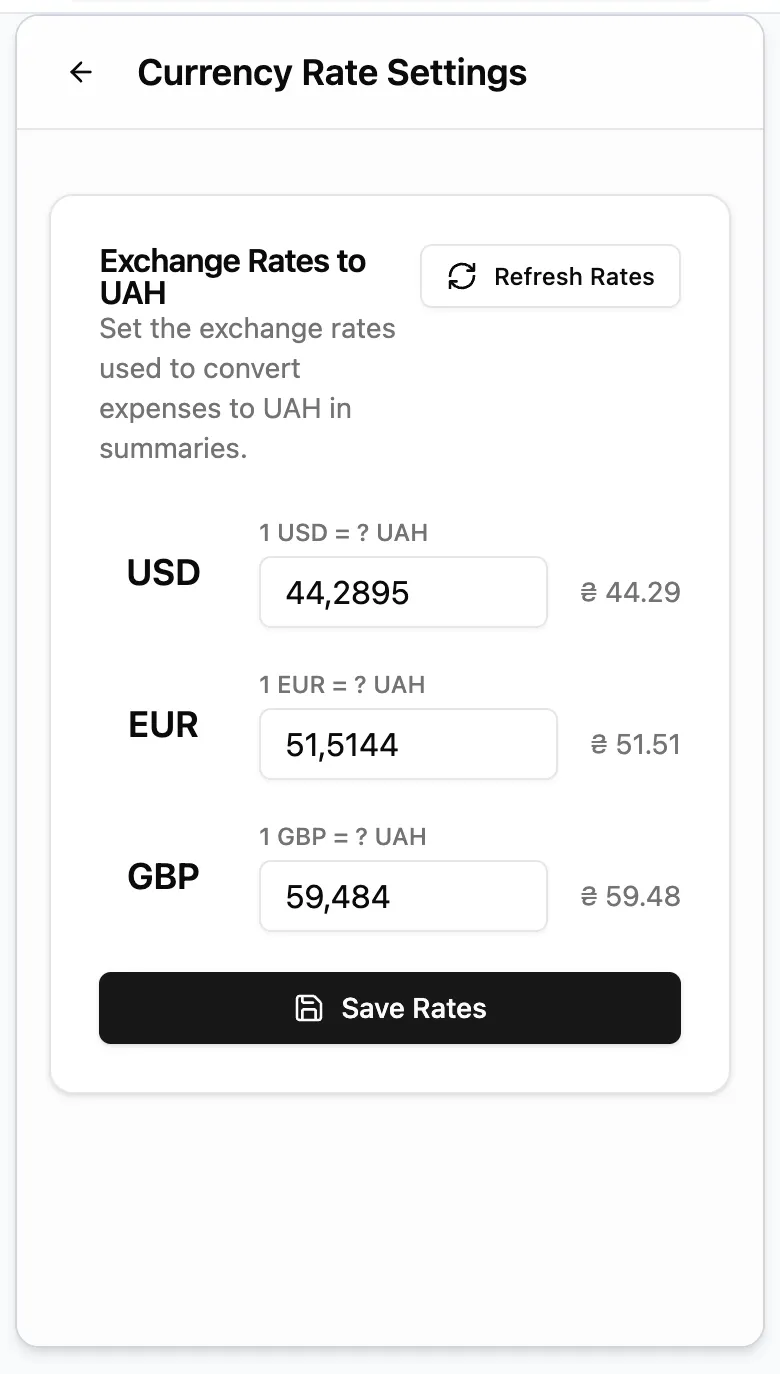
In other words: Claude Code not only solved the problem in its own project, it effectively debugged Base44’s generated code as well. The no-code platform needed the agentic coding tool to tell it what was wrong.
Then came the response to the second part of the prompt:
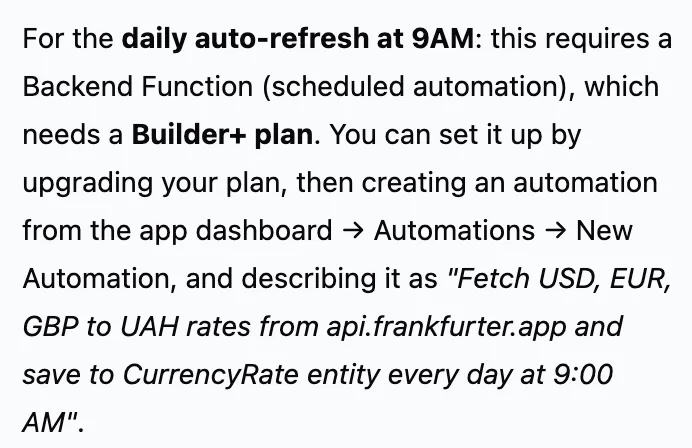
That’s the wall.
Scheduled tasks, a basic cron job, are not available on the free or Starter plans. To run anything on a schedule, you need the Builder plan.
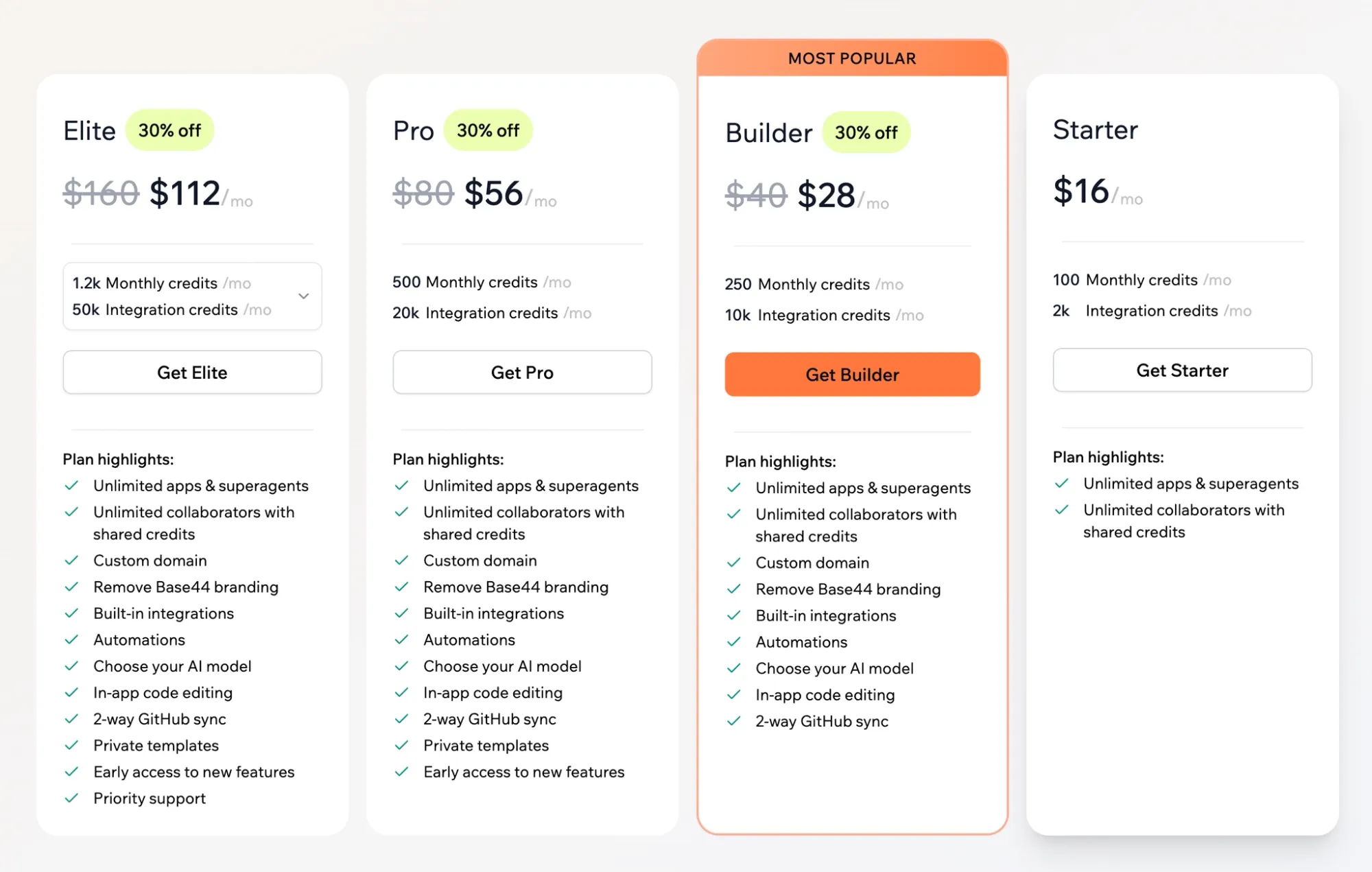
On the $16 Starter plan, you can’t edit the code Base44 generated inside the platform itself. You can’t remove “Base44” branding from the app you’re showing to users. And you can’t automate anything. These aren’t advanced features — they’re table stakes for any app meant to run in production.
Four prompts spent out of five. One cron job: not available without a plan upgrade.
Part 2: Building with Claude Code
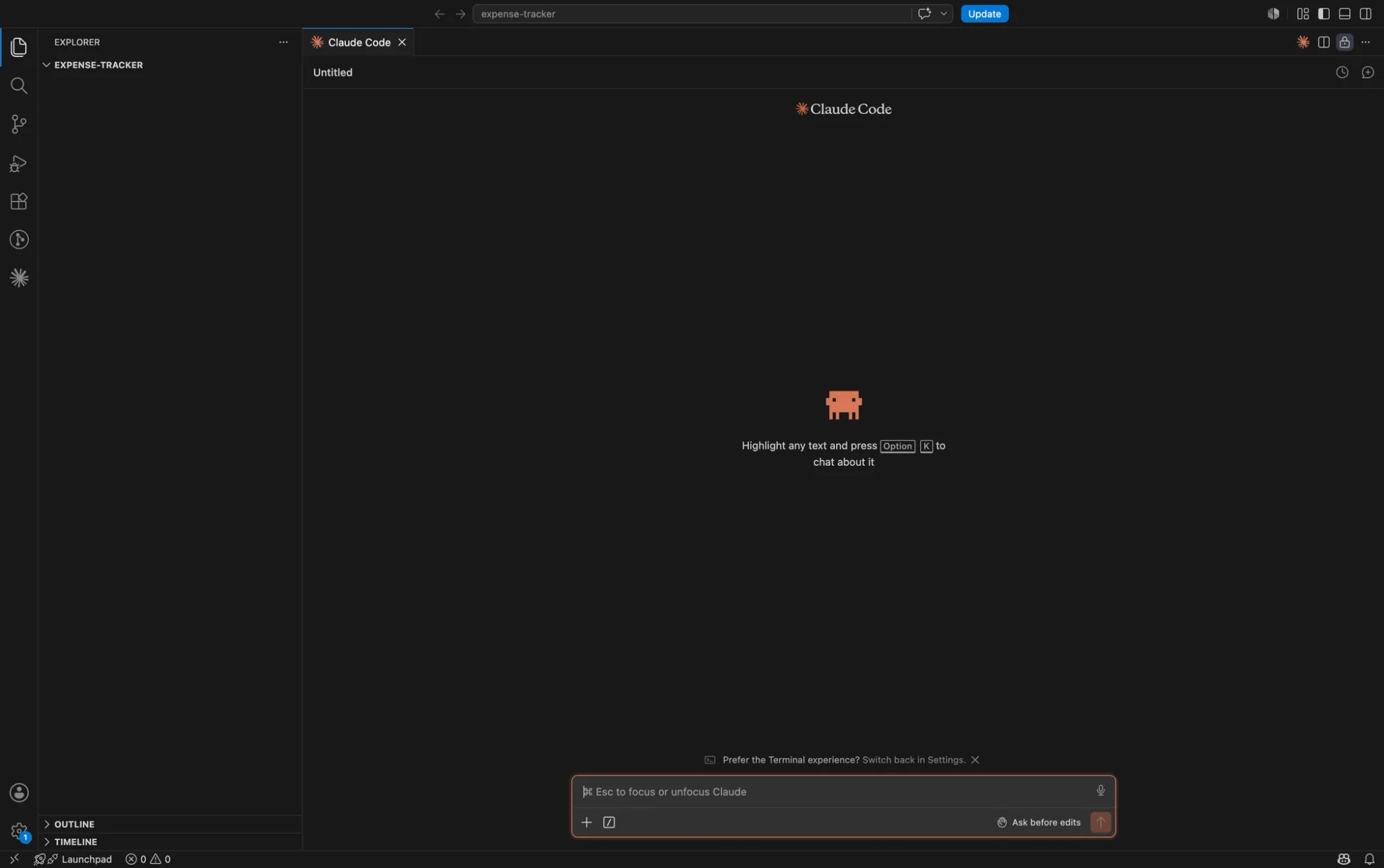
The same app, built from scratch with Claude Code — Anthropic’s agentic coding tool that runs inside VS Code and writes real code directly in your project.
No platform. No subscription tiers. Just Next.js, TypeScript, Tailwind CSS, and a conversation.
Step 1 — Generating the app
Prompt used:
“Build a simple expense tracker web app using Next.js and Tailwind CSS. Features:Add expenses with: title, amount, currency (USD, EUR, GBP, UAH), date, categoryExpenses table showing all entriesStore everything in a local JSON file (no database needed)
Keep it simple and clean. No auth needed.”
Claude Code scaffolded a Next.js project, created the expense table, the add-expense form, category badges, and summary cards. Data stored in a local JSON file — no database setup required.
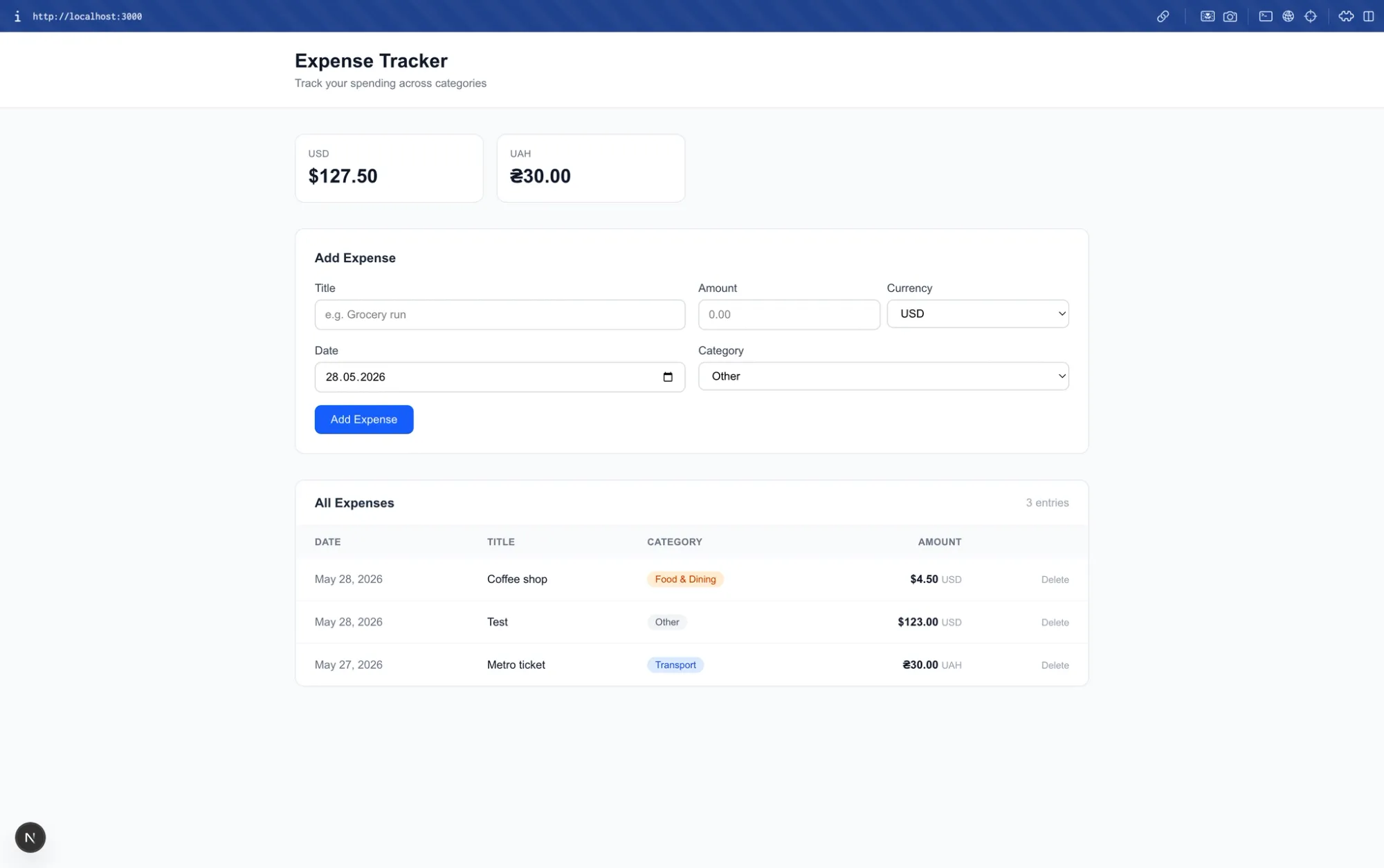
Unlike Base44, Claude Code didn’t add authentication or anything else that wasn’t asked for.
Step 2 — Settings page with exchange rates
Prompt used:
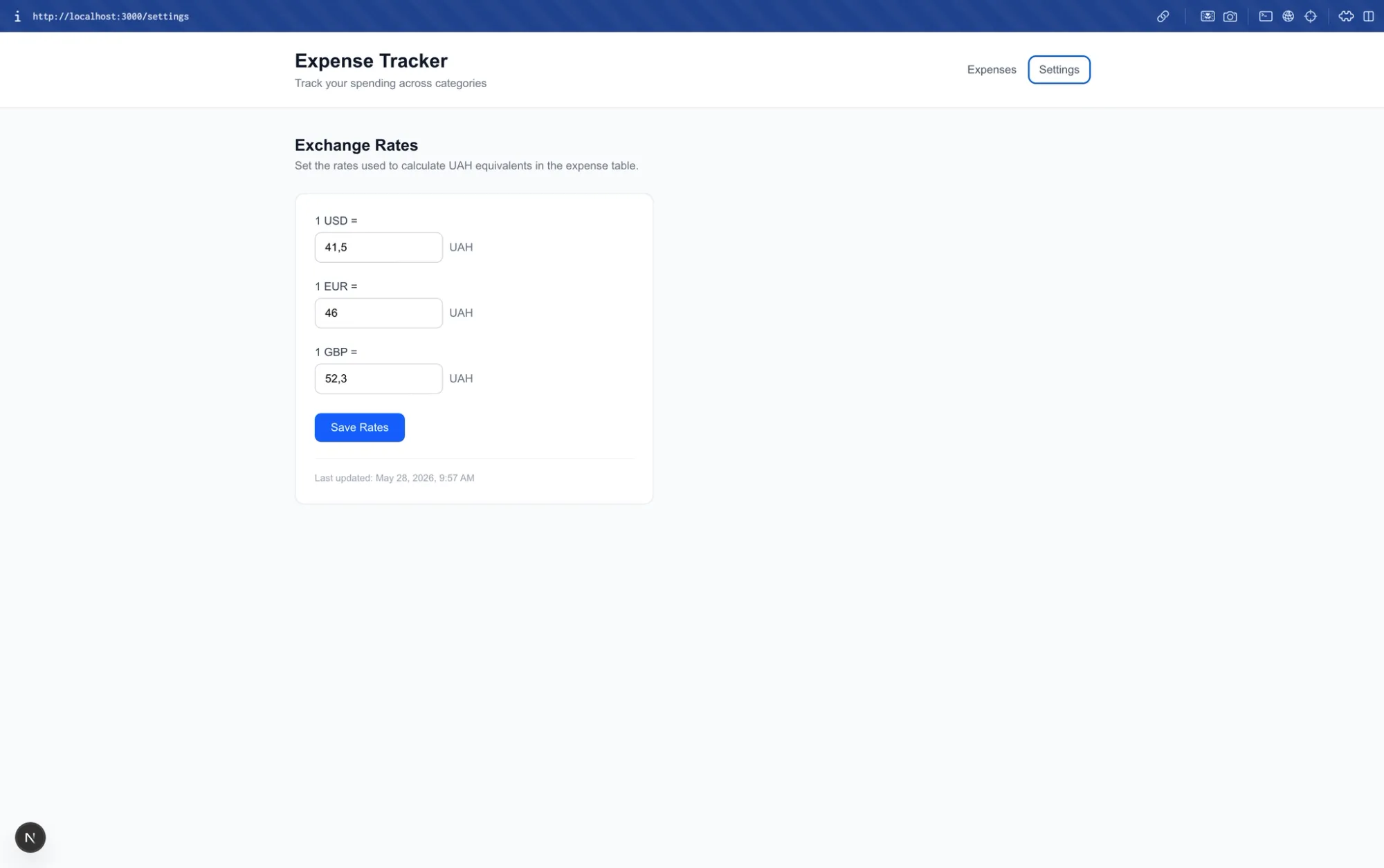
“Add a Settings page with current USD, EUR, GBP to UAH exchange rates. User can manually update the rates. Show last updated timestamp. Use these rates to calculate UAH totals in the expense table.”
Settings page with rate inputs, save button, last-updated timestamp, and UAH conversion across the expense table.
Step 3 — Connecting the live API
Prompt used:
“Add a ‘Refresh rates’ button on the Settings page that fetches current rates from https://api.frankfurter.app/latest?to=UAH and saves them. Show last updated timestamp after refresh.”
Claude Code’s response, before writing a single line of code:
“Testing revealed Frankfurter does not carry UAH — it returned{"message":"not found"}. Switched toopen.er-api.com/v6/latest/USDwhich is free, keyless, and includes UAH.”
Same broken API endpoint as in Base44. But Claude Code caught it before generating broken code, explained the fix, and delivered a working button on the first try. No infinite spinner. No debugging session required.
Step 4 — Automatic scheduled refresh
Prompt used:
“Add a cron job that automatically fetches rates from API”
Claude Code implemented it using node-cron via Next.js’s instrumentation.ts server startup hook:
// instrumentation.ts
export async function register() {
  if (process.env.NEXT_RUNTIME !== "nodejs") return;

  const { schedule } = await import("node-cron");
  const { refreshRates } = await import("@/lib/refresh-rates");
  const { log } = await import("@/lib/logger");

  log.info("APP_START", "Next.js server initialized");

  schedule("45 12 * * *", async () => {
    log.info("CRON_START", "exchange rate refresh triggered");
    try {
      const settings = await refreshRates();
      log.info("CRON_SUCCESS", `USD:${settings.rates.USD}, EUR:${settings.rates.EUR}, GBP:${settings.rates.GBP}`);
    } catch (err) {
      const message = err instanceof Error ? err.message : "unknown error";
      log.error("CRON_ERROR", message);
    }
  });

  log.info("CRON_REGISTERED", "exchange rate refresh scheduled at 12:45 daily (45 12 * * *)");
}
No upgrade required. No platform plan to check. It runs.
Step 5: Structured Logging Across the Entire App
Prompt used:
“Add console logging across the entire app:When the app startsWhen any expense is added, edited, or deletedWhen rates are manually refreshed (success and error)When cron job runs (start, success, error with details)When settings are savedWhen data is read from or written to JSON files
Include timestamps in all log messages. Format: [YYYY-MM-DD HH:mm:ss] ACTION: details”
Claude Code created a logger utility and wired it through every API route, the cron job, and the startup hook:
// lib/logger.ts
function ts(): string {
  const d = new Date();
  const pad = (n: number) => String(n).padStart(2, "0");
  return `[${d.getFullYear()}-${pad(d.getMonth() + 1)}-${pad(d.getDate())}${pad(d.getHours())}:${pad(d.getMinutes())}:${pad(d.getSeconds())}]`;
}

export const log = {
  info(action: string, details: string) {
    console.log(`${ts()}${action}:${details}`);
  },
  error(action: string, details: string) {
    console.error(`${ts()}${action}:${details}`);
  },
};
The terminal output:
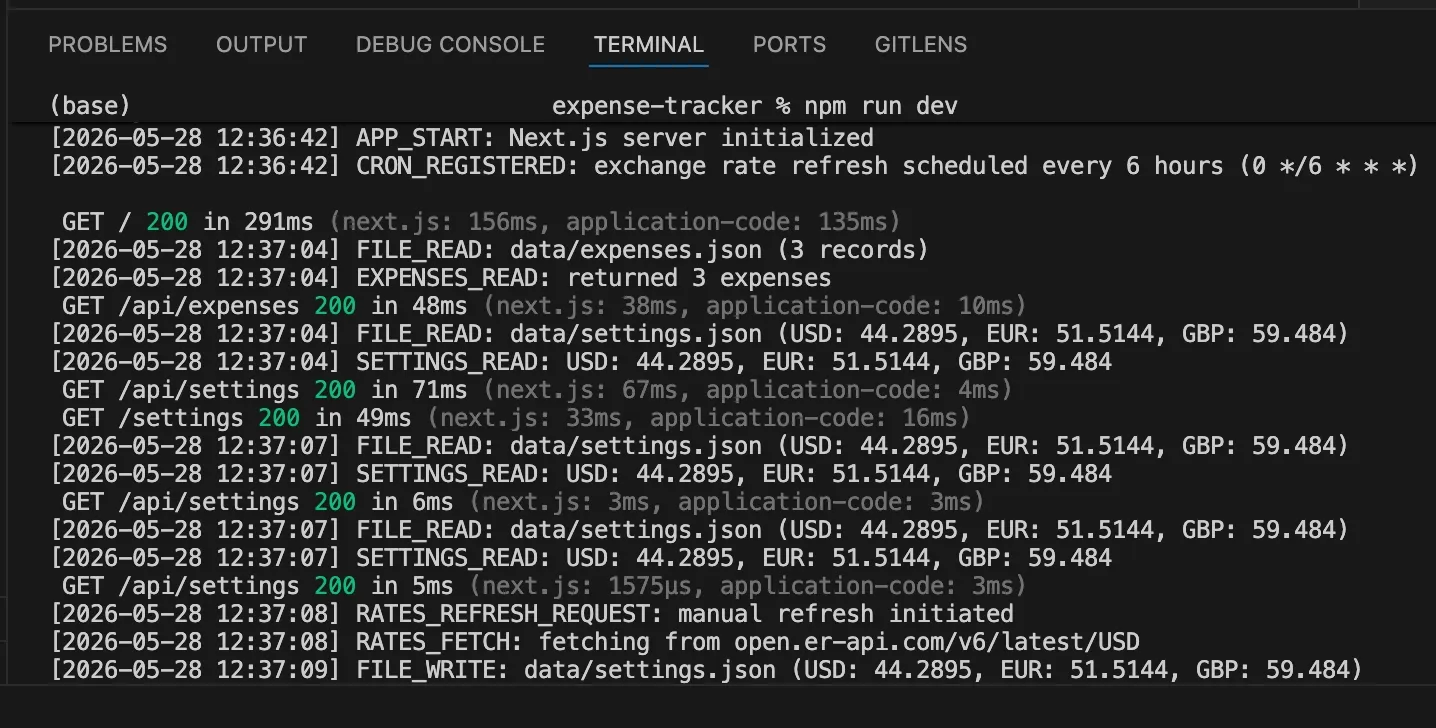
To verify the cron actually fires, we set it to trigger a few minutes ahead and watched the terminal:
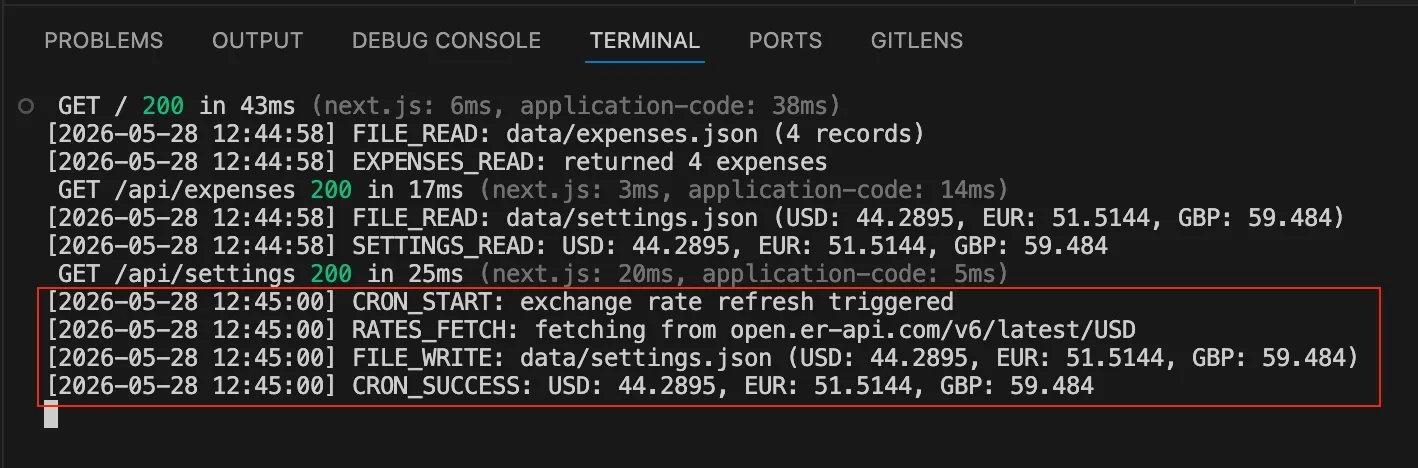
Compare that to Base44’s infinite spinner with no output at all. When something goes wrong in a real codebase, you know what happened, when it happened, and exactly why.
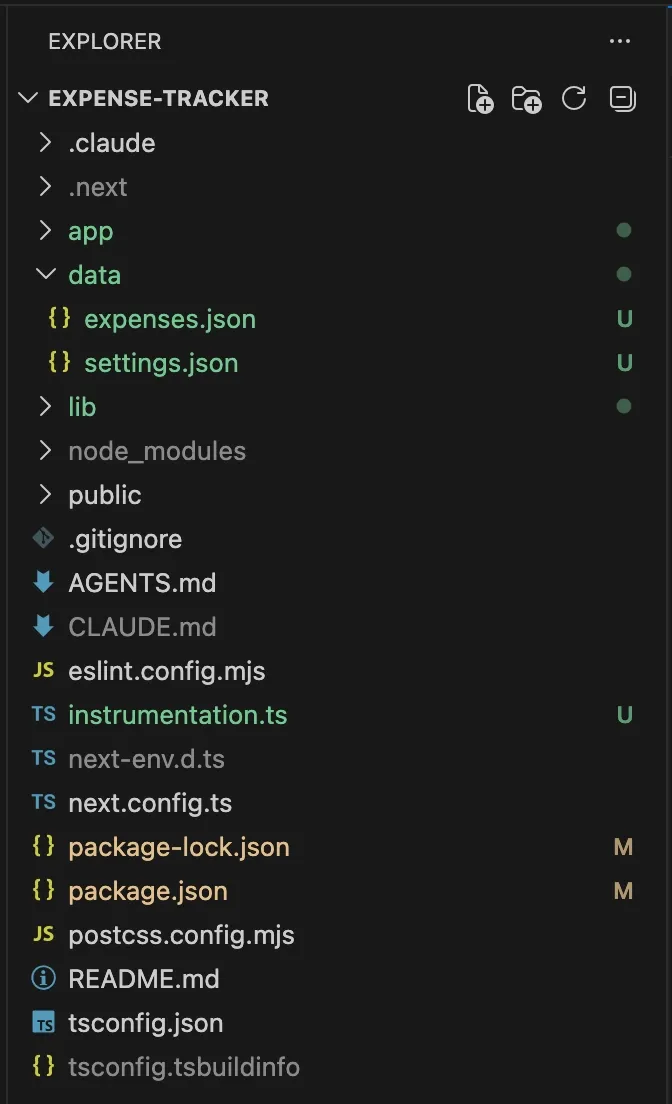
The final project structure:
Side by Side
| Base44 | Claude Code + Next.js | |
|---|---|---|
| Time to working app | Minutes | Minutes |
| Prompts to hit a wall | 4 of 5 daily limit | No wall |
| Scheduled tasks (cron) | Builder plan — $28/mo | node-cron, free |
| Custom domain | Builder plan — $28/mo | Your infrastructure |
| Remove platform branding | Builder plan — $28/mo | Not applicable |
| Edit generated code | Builder plan — $28/mo | Your editor, always |
| Debugging | Browser DevTools only | Structured terminal logs |
| API error handling | Silent failure, infinite spinner | Caught before code was written |
| Code ownership | Platform-dependent | Fully yours |
| Monthly cost for basic automation | $28+ | $0 |
What This Experiment Shows
Base44 isn’t a bad tool. For the first two steps of this experiment, it performed exactly as advertised — fast generation, clean output, no setup overhead. If you need a quick internal tool, a stakeholder demo, or a throwaway prototype, it genuinely gets you there fast.
The problem is what happens next.
Every requirement that falls outside Base44’s boundaries: scheduled automation, full debugging, a codebase you can read and modify freely, either hits a paywall or can’t be done at all. The platform’s abstraction is its entire value proposition, but that same abstraction is what limits you the moment your requirements get real.
With Claude Code, there’s no equivalent cliff. The cron job that costs $28/month in Base44 is a node-cron import and a few lines of TypeScript. The debugging that requires browser DevTools archaeology in Base44 is structured logs in your terminal. The code that lives on Base44’s servers is a Git repository you own completely.
The speed advantage of no-code platforms is real — at the start. But for any project that needs to grow, that advantage narrows fast. And when you hit the ceiling, there’s no gradual slope. There’s just a wall, and a pricing page.
Both apps were built in a single day. The Base44 version used the free plan’s full daily limit of 5 prompts. The Claude Code version was built step by step with the same feature scope. Both ended up with the same core functionality — except one has a working scheduled job and the other is waiting for a plan upgrade.