You built your app on Thunkable. It worked. You shipped it, got real users, maybe even started charging for it. And then, somewhere along the way, you hit something you couldn't get past: a feature you couldn't build, a performance problem you couldn't fix, or a monthly bill that kept climbing while your control over the product didn't.
Now you're wondering how to get out.
Here's the honest version of what leaving Thunkable actually involves: what you can take with you, what you can't, and which path makes sense depending on where your business is heading.
Let's break it down.
First, the Uncomfortable Truth: You Can't Export Your App from Thunkable
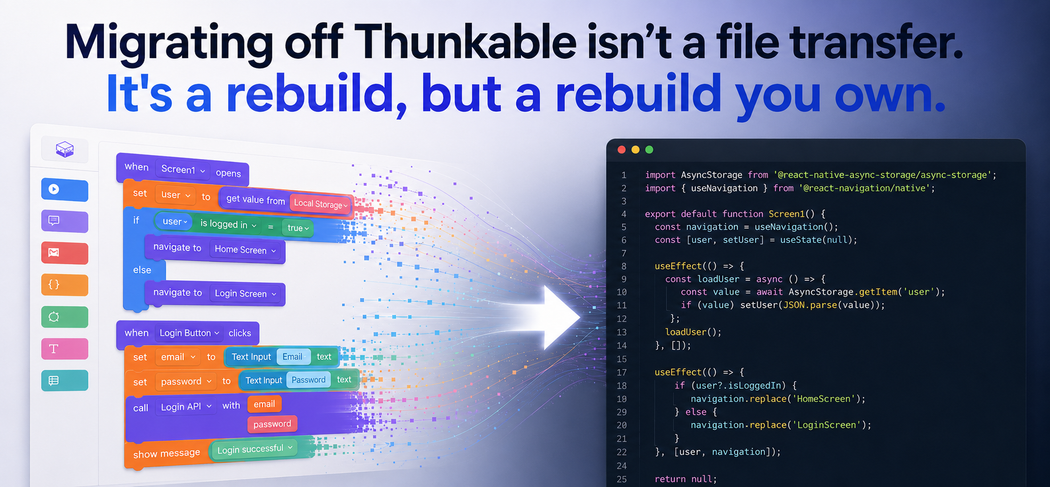
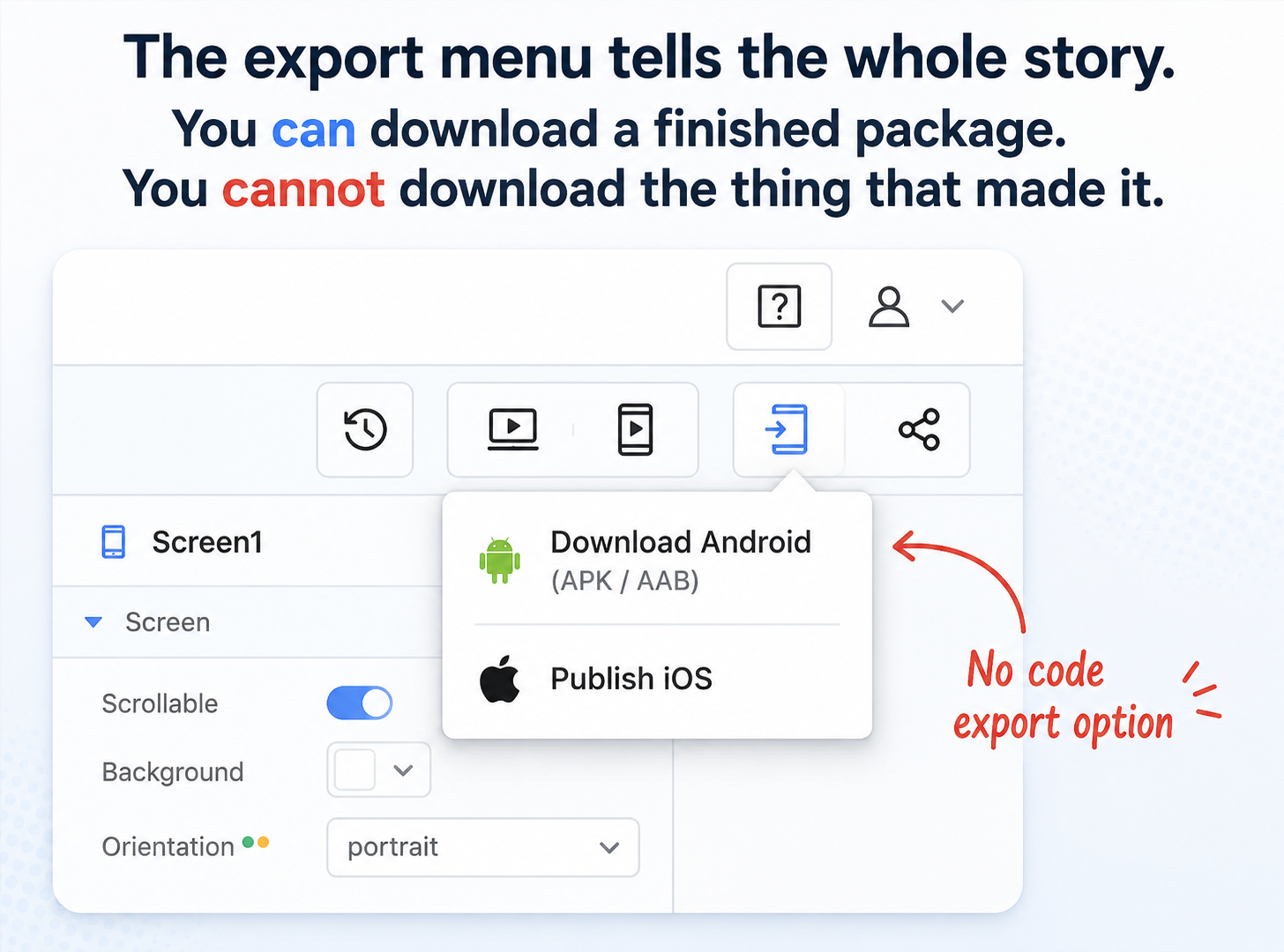
Short answer: no, Thunkable does not let you export your source code. You can download a compiled Android package or publish an iOS build to the App Store, but not the editable code behind your app. Migrating off Thunkable therefore means rebuilding your app, not moving it.
This is the part that surprises almost every founder, so let's get it out of the way immediately.
Thunkable does not let you export your source code. There is no "download the project as a real app" button. The visual blocks you assembled, the screens you designed, the logic you wired together, none of it comes out as editable Swift, Kotlin, or React Native that a developer can open and continue.
What you can get is limited:
- Android: a compiled APK file (installable on a device) or an AAB bundle that Thunkable emails you to upload to Google Play. Neither is source code – they're finished packages you can't meaningfully edit.
- iOS: nothing portable at all. Publishing goes straight through Thunkable's wizard into your App Store Connect account. There's no IPA you can freely hand to a developer.
- Source code: not available. Thunkable's own community confirms the app logic is compiled on their backend and isn't exportable.
So when people say "migrate from Thunkable," what they really mean is rebuild from Thunkable. Your app can't move. It has to be built again on a foundation you control.
That sounds worse than it is and the rest of this article is about doing it well. But you needed to hear the hard part first, because it changes how you plan everything else.
The Bigger Problem: Your App Isn't Really Yours Yet
There's a second thing worth understanding before we talk options, because it's the reason a lot of founders decide to leave in the first place.
On Thunkable, your live app depends on an active subscription. If your plan lapses, your published app becomes unavailable to the people using it. Your business-critical product, the one your customers opened this morning, is tied to a monthly payment to a platform you don't control.
For a weekend project, fine. For a real business, that's a serious form of vendor lock-in. You're not just paying for a tool; you're renting the continued existence of your own app.
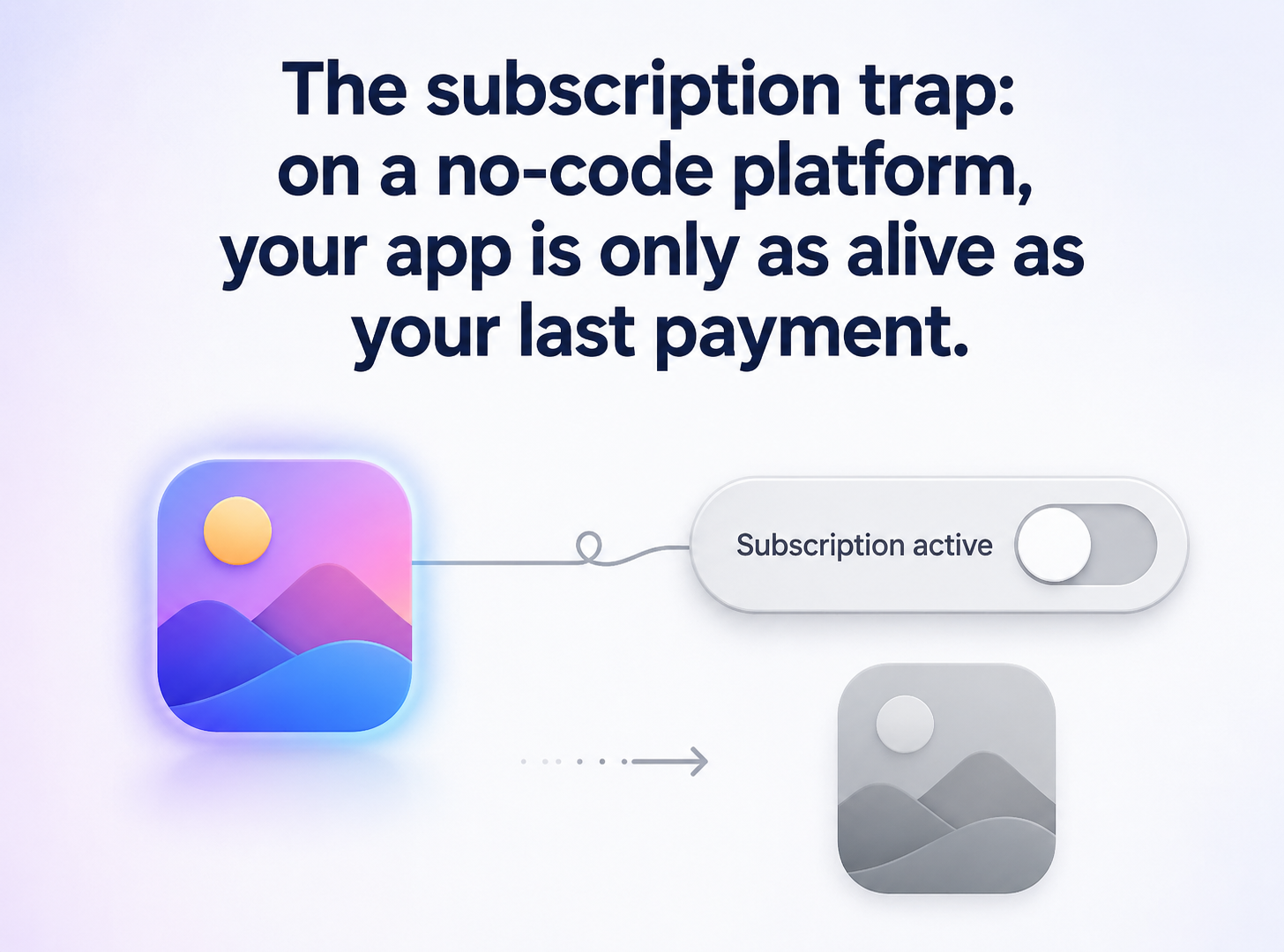
That single fact is why "we'll deal with it later" quietly turns into "we need to move now." Owning your code isn't a nice-to-have once you have paying users and a roadmap. It's the whole point.
The Good News: Your Data and Assets Do Come With You
It's not all locked in. The parts of your app that live outside Thunkable are yours to keep.
Most Thunkable apps store their data in third-party services you already control: Firebase, Airtable, or Google Sheets. That data belongs to you and can be exported independently. Firebase, for example, supports full export and import of your database and user accounts. Your images, icons, and other original assets are yours too – you uploaded them, you keep the source files.
So the picture looks like this:
| What you keep | What you lose |
|---|---|
| Your data (Firebase / Airtable / Sheets) | All app screens and layouts |
| Your design assets and icons | All blocks / logic |
| Your Android keystore (download it!) | Any platform-specific wiring |
| Your users and app store listing* | The ability to "continue" the project |
*With the right migration steps; more on preserving your users below.
One practical tip before you do anything: download your Android keystore from Thunkable's project settings. If you lose it, you can lose the ability to push updates to your existing Google Play listing. It takes thirty seconds and saves a real headache later.
Your Options: Four Ways Off Thunkable
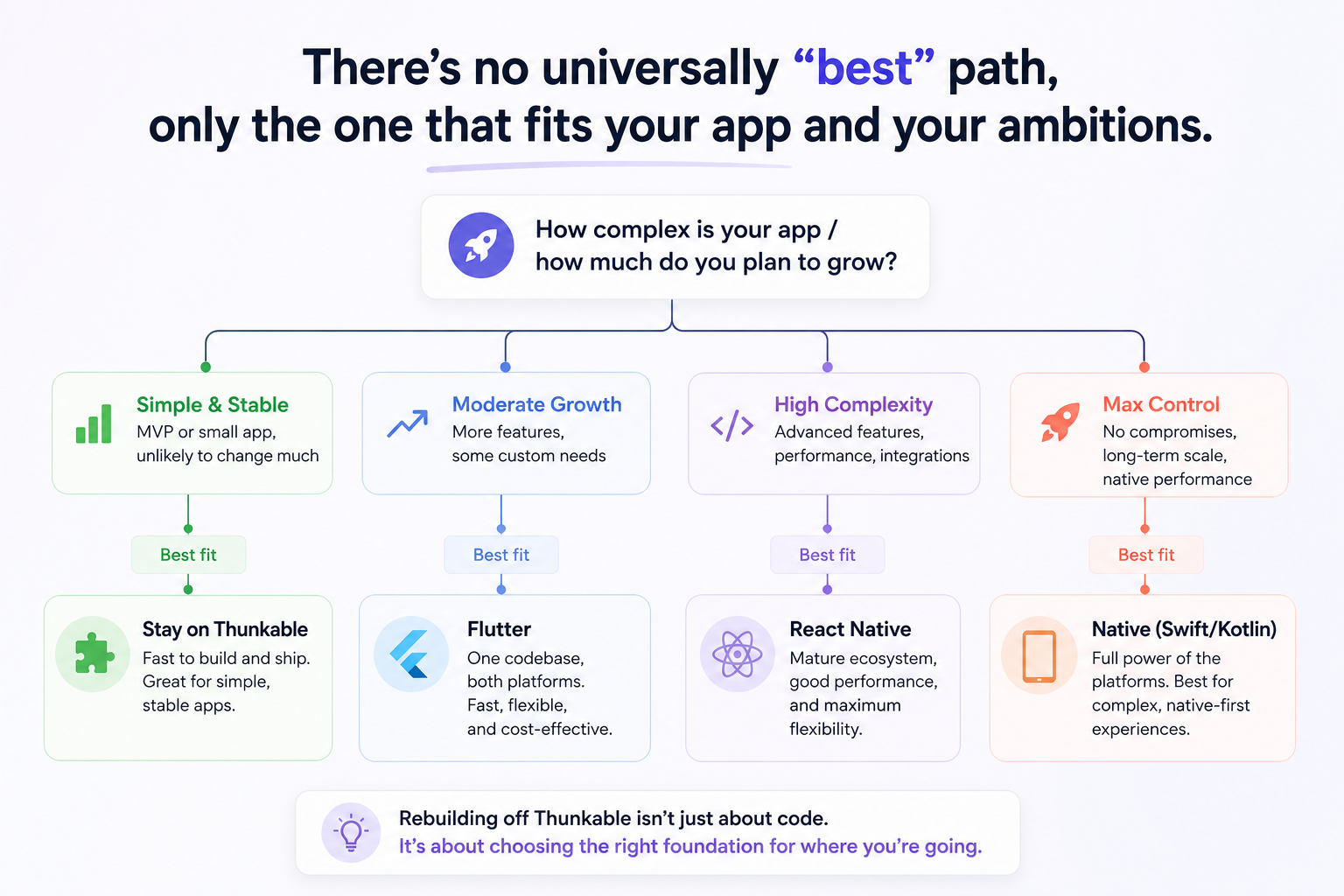
Here's the part you actually came for. The thing is that there's no single right answer. The best path depends on how complex your app is, how much you want to spend, and how far you plan to grow. Let's go through them honestly.
Option 1: Rebuild cross-platform with Flutter or React Native (the right choice for most founders)
For the majority of founders who've outgrown Thunkable, this is the sweet spot. One codebase builds both your iOS and Android apps, you get near-native performance, and, critically, you own every line of the code.
- Flutter (Google's framework) is excellent for design-rich apps with smooth animations and a consistent look across platforms.
- React Native (Meta's framework) has the larger developer talent pool, which usually means easier and cheaper hiring down the road.
Both are mature, well-supported, and used by household-name apps in 2026. Either is a safe foundation you can grow on for years.
Because a cross-platform rebuild shares most of its code between platforms, it typically costs 30-40% less than building two separate native apps, while still giving you a genuinely professional result.
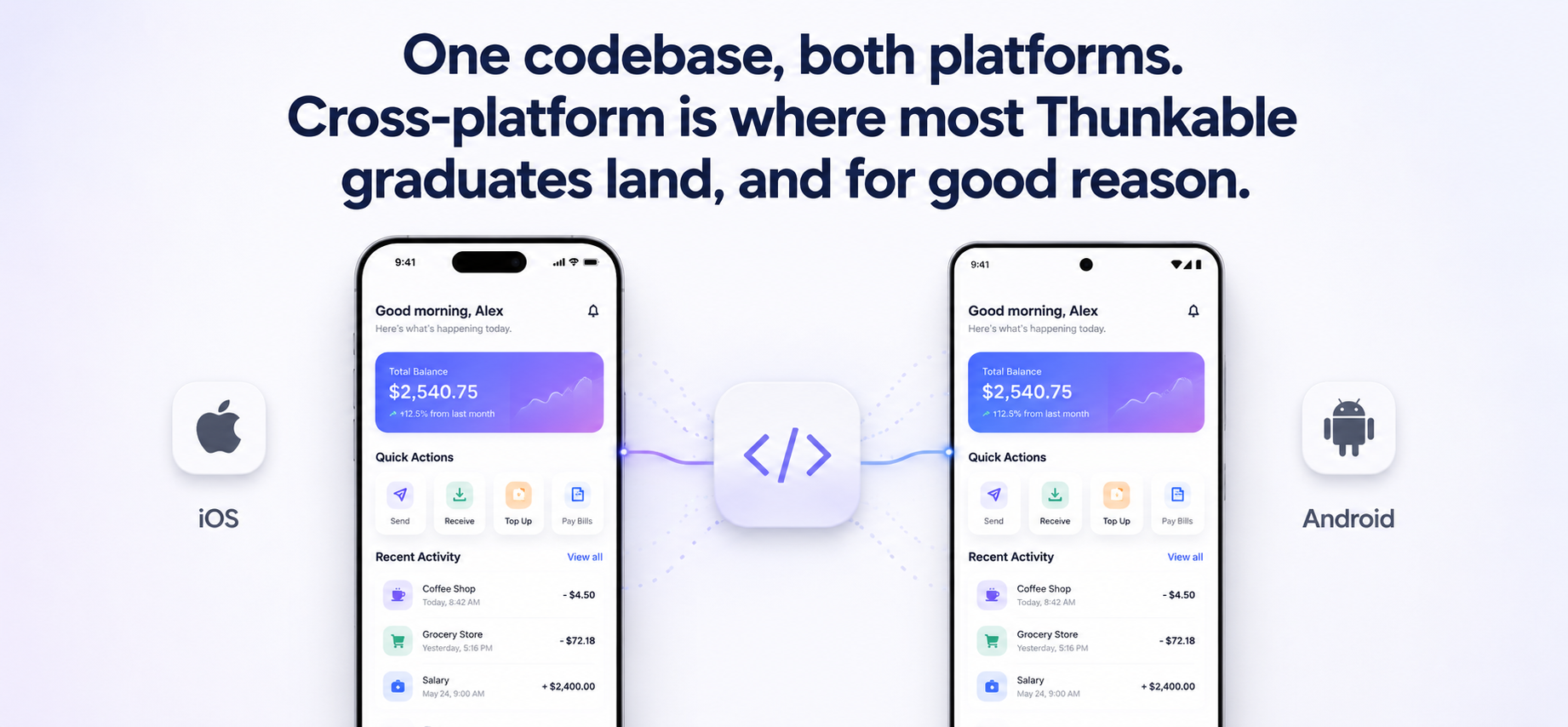
Best for: almost any founder with a real product and a roadmap, especially design-led or content-driven apps.
Option 2: Go fully native (Swift + Kotlin)
Native means two separate codebases: Swift/SwiftUI for iOS, Kotlin for Android. Each is built to squeeze the absolute maximum out of its platform.
It's the most expensive and slowest path, but it's the right one when performance or deep hardware access is core to what your app does: heavy graphics, augmented reality, advanced camera work, Bluetooth devices, wearables, or strict security and compliance needs. If your app is the experience, a premium consumer product where every frame matters — native is worth it.
Best for: performance-critical, hardware-heavy, or premium consumer apps where "good enough" isn't the goal.
Option 3: Move to a better no-code / low-code platform
Sometimes the honest answer is that you don't need full custom development yet; you just need to escape Thunkable specifically. Maybe the editor got slow, the pricing stopped making sense, or you want a way out of the lock-in without a big engineering budget.
If your app is genuinely simple, another platform might be enough. The standout here is FlutterFlow, because unlike Thunkable it exports real Flutter source code, so you're not trading one lock-in for another. You get visual building speed and an exit ramp to real developers whenever you need one. (Other options like Adalo or Bubble are friendlier for non-technical builders but keep you inside their walls.)
Just be clear-eyed: moving from one no-code tool to another is still a rebuild. There's no magic import. And any closed platform reintroduces some version of the same ownership problem you're trying to leave.
Best for: simple apps, or founders who want to keep building visually but need code ownership as a safety net.
Option 4: Stay on Thunkable (yes, really)
If your app is simple, stable, low-traffic, and Thunkable is handling it fine, you might not need to move at all yet. Migration costs real money and time. If you're still validating the idea and haven't hit a genuine wall, the smartest move can be to wait until you have a concrete reason to leave.
Don't migrate because a blog post told you to. Migrate because you've outgrown the platform.
How the Migration Actually Works
Once you've decided to move, here's what the process looks like in practice. This is roughly how we approach it at Perpetio, and it's the same shape whether you hire us, another agency, or a freelancer.
1. Document everything. Since there's no code to inspect, your existing app is the spec. Screenshot every screen, map every user flow, list every feature and integration. This document becomes the blueprint for the rebuild, and it's valuable no matter who does the work.
2. Export your data. Pull everything out of Firebase, Airtable, or Google Sheets. Clean it, validate it, and confirm the record counts so nothing goes missing in transit.
3. Choose your stack. Based on the four options above, match them to your budget, timeline, and roadmap.
4. Rebuild the UI and logic. Recreate your screens as real, native components and usually improve them along the way, since you're no longer boxed in by what the blocks allowed.
5. Reconnect the backend and migrate data. Wire the rebuilt app to your backend (often the same Firebase you already use) and import your data.
6. Test on real devices. Not in a simulator, but actual phones, real network conditions, edge cases. Budget a meaningful chunk of the project for this.
7. Transfer your app store listing. This is the step people forget, and it's the most important one for protecting your business.
Here's the detail that separates a smooth migration from a painful one. Both Apple and Google let you transfer an existing app to a new developer account without losing your ratings, reviews, or installed users.
That means you can ship your rebuilt app as an update to the same listing your users already have. They wake up, the app updates, and it's simply better: same icon, same reviews, same download count, none of the "start from zero on a brand-new listing" pain. Your years of five-star ratings carry forward.
Get this wrong, and you can orphan your existing users on a dead listing while your shiny new app sits at zero reviews.
Get it right, and the transition is nearly invisible to the people who matter. It's exactly the kind of step that's easy to overlook if you haven't done it before and easy to get right if you have.
What It Costs and How Long It Takes
Every app is different, so treat these as planning ranges, not quotes. For a typical small-to-mid app:
| Path | Rough cost | Timeline |
|---|---|---|
| Another no-code tool (e.g. FlutterFlow) | $ | Weeks – 2 months |
| Cross-platform (Flutter / React Native) | $40k – $150k | 3 – 6 months |
| Native (Swift + Kotlin) | Higher | 4 – 9 months |
Two things worth budgeting for that founders often miss: data migration (getting your records across cleanly takes real effort) and ongoing maintenance (plan for roughly 15–20% of the build cost per year to keep the app healthy, updated, and compatible with new OS versions).
Where you hire matters too. A team in Eastern Europe will typically cost a fraction of a US or Western European agency for comparable quality, which is part of why so much serious mobile work happens here.
So, Should You Migrate? A Quick Gut-Check
Signs it's time to move:
- You're building workarounds more than features.
- Performance or scale is starting to hurt your users.
- You need a custom feature or integration Thunkable can't support.
- Your subscription and backend costs are outgrowing your revenue.
- Investors or enterprise clients are asking about scalability and who owns the code.
- The idea of your live app depending on a subscription keeps you up at night.
Signs you can wait:
- Your app is simple, stable, and doing its job.
- You're still validating the idea.
- Your problems are fixable within Thunkable, or by switching to another visual tool.
If you're nodding along to the first list, you've probably already outgrown the platform and the sooner you own your code, the less you'll have rebuilt later.
Where This Gets Hard and Why It's Worth Doing Right
Migrating off Thunkable has a particular kind of difficulty. You're rebuilding an app you can't open, from a platform that won't hand over its work, while trying not to lose the data, users, and reviews you've spent months or years earning.
A solo freelancer can do it if the app is small and well-scoped. An in-house hire is overkill for most early-stage founders. For a business-critical app where the process means documenting an app you can't inspect, migrating live data without losing a record, rebuilding to feature parity, and transferring store listings so your users never notice the seam, an experienced team is what turns a risky leap into a controlled, boring, successful launch.
That's the work we do every day. We've taken plenty of apps from "trapped on a platform" to "fully owned, fast, and built to grow," and we handle the parts that are easy to get wrong – the data migration, the app store transfer, the architecture decisions that determine whether your app is still easy to improve two years from now.
If you've outgrown Thunkable and want to talk through the right path for your specific app, get in touch with our team for a free consultation. We'll give you an honest read on whether it's time to move and, if it is, exactly what it would take.
Frequently Asked Questions
Can I export my app's source code from Thunkable?
No. Thunkable does not offer source code export. You can download a compiled Android APK/AAB or publish an iOS build directly to the App Store, but the underlying code isn't available to edit. Migrating means rebuilding the app on a new foundation.
What happens to my app if I stop paying Thunkable?
On current plans, your published app becomes unavailable to users if your subscription lapses. This is one of the main reasons founders with real, paying users choose to migrate to a platform-independent, fully owned codebase.
Will I lose my users and reviews if I migrate?
Not if it's done correctly. Both Apple and Google allow you to transfer an existing app to a new developer account and ship the rebuilt version as an update to the same listing, preserving your ratings, reviews, and existing users.
Does my data (Firebase, Airtable, Google Sheets) carry over?
Yes. Because your data lives in third-party services you control, it's fully exportable and can be migrated to your new app independently of Thunkable.
Is it better to switch to another no-code tool or go fully custom?
It depends on your app. If it's simple and you mainly want to escape Thunkable's limits and lock-in, a code-exporting tool like FlutterFlow may be enough. If you're scaling, need custom features, or want true ownership and performance, a custom cross-platform or native rebuild is the better long-term investment.
How much does it cost to migrate off Thunkable?
For a typical small-to-mid app, a professional cross-platform rebuild generally runs $40,000–$150,000 over 3–6 months, depending on complexity, features, and region. Simpler apps and no-code-to-no-code moves cost considerably less.
Flutter or React Native for my rebuild?
Both are excellent. Flutter shines for design-rich, animation-heavy apps and consistent cross-platform visuals; React Native has a larger developer talent pool, which can make long-term hiring easier. A good development partner will recommend based on your specific app and team.
This guide reflects Thunkable's platform capabilities and typical mobile app migration costs as of 2026. Pricing and platform features change over time, so verify current details before making a decision. Cost and timeline ranges are broad planning estimates and depend heavily on your app's complexity.