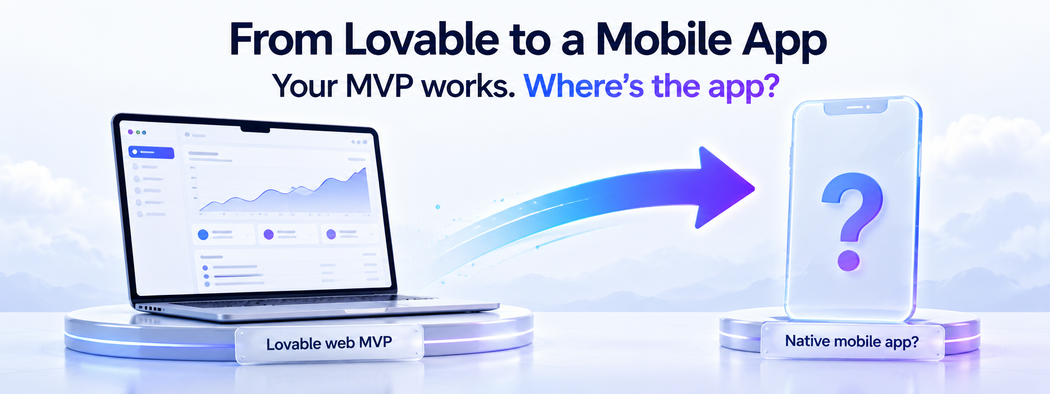
You built your MVP in Lovable. It works, it looks good, real people are using it. Now they're asking the one question Lovable can't answer: "Where's the app?"
Lovable is one of the best vibe-coding tools out there. You describe what you want, and it generates a full-stack web app: database, auth, UI, and logic included. For getting from zero to a validated idea, it's genuinely excellent, and choosing it was the right call.
But "validated web MVP" and "real mobile app your users can download" are two very different things. And the gap between them is bigger than most founders expect, because it's not a gap you can prompt your way across.
We migrate Lovable projects to production mobile apps for a living, so we want to give you the honest version of what going from Lovable to a mobile app actually involves: what transfers, what doesn't, why you can't just "put your Lovable app on the App Store," and the three real paths forward, with the trade-offs nobody selling you a one-click converter will mention.
Let's break it down.
What you'll learn:
- What Lovable actually generates, and why it's web-only
- Why you can't just turn a Lovable app into a mobile app
- The three real paths from Lovable to native iOS and Android
- The security check every Lovable app needs before it scales
- When to move from Supabase to a proper backend
- A four-stage migration plan you can follow
First, What Lovable Actually Gave You
This matters, because you can't plan a migration without knowing what you're migrating from.
Lovable generates a React web app: React, TypeScript, and Vite, styled with Tailwind and shadcn/ui components. The backend is Supabase, either your own or the managed "Lovable Cloud" layer, handling your Postgres database, authentication, file storage, and any server-side functions.
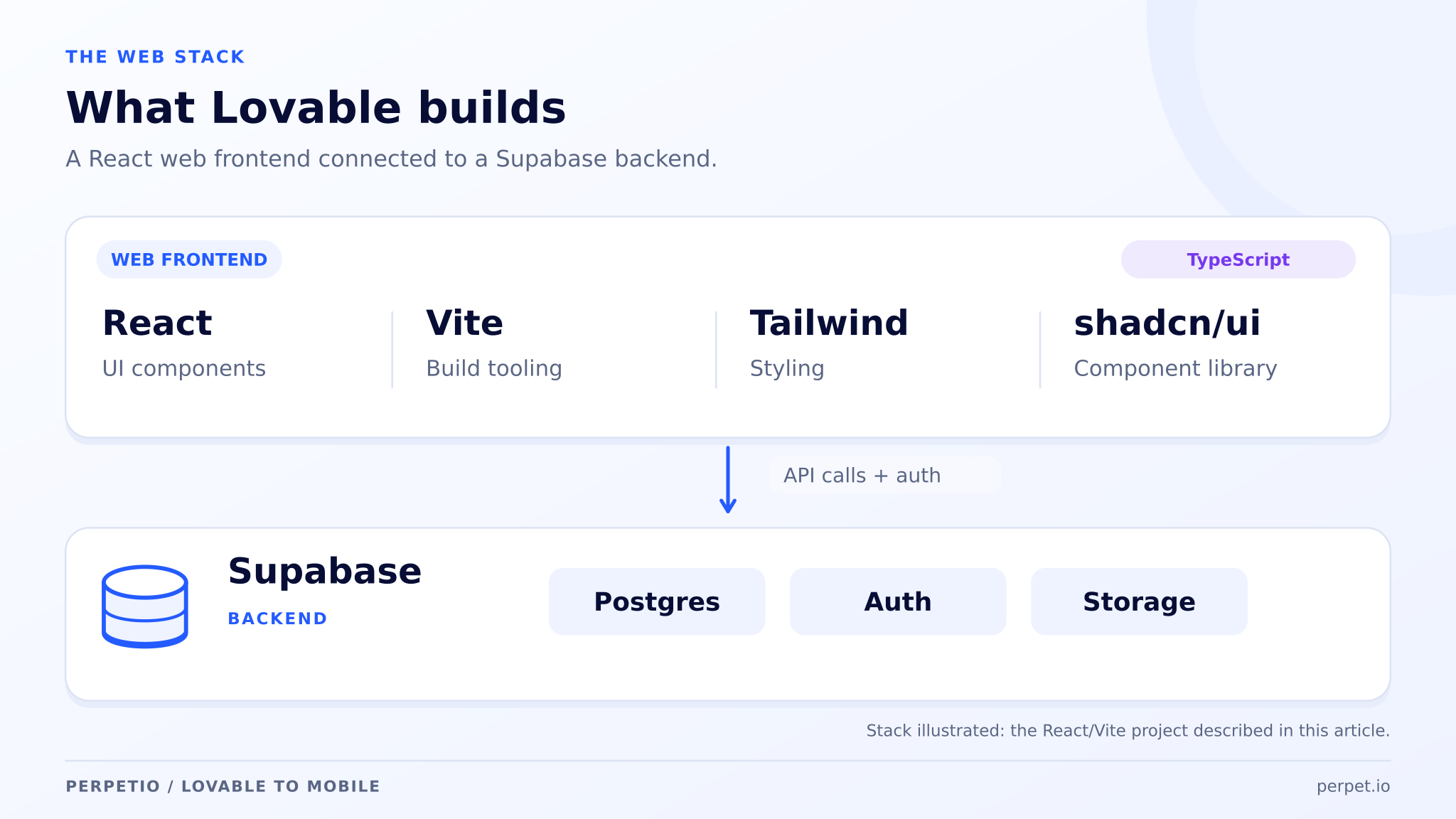
Everything Lovable builds runs in a browser. That single fact shapes your entire migration. The good news: this is a real, standard, open-source stack. There's no proprietary lock-in at the framework level, and your code syncs to GitHub, so you own it. A developer can pick it up.
The catch is the part nobody says out loud when you're prompting your way to a demo: Lovable makes web apps. Only web apps. There is no native iOS or Android output, no matter how "mobile-friendly" the preview looks on a narrow screen.
That mobile-looking preview is a responsive website. And a responsive website is not an app you can publish to the App Store, which is exactly where the migration starts.
Why You Can't Just Turn a Lovable App Into a Mobile App
Here's the technical reality in plain terms.
Lovable builds your screens out of web building blocks: div, span, input, button, the elements that only exist inside a browser. A real iPhone or Android app is built out of native building blocks: View, Text, TextInput. They are not the same thing, and one does not automatically become the other.
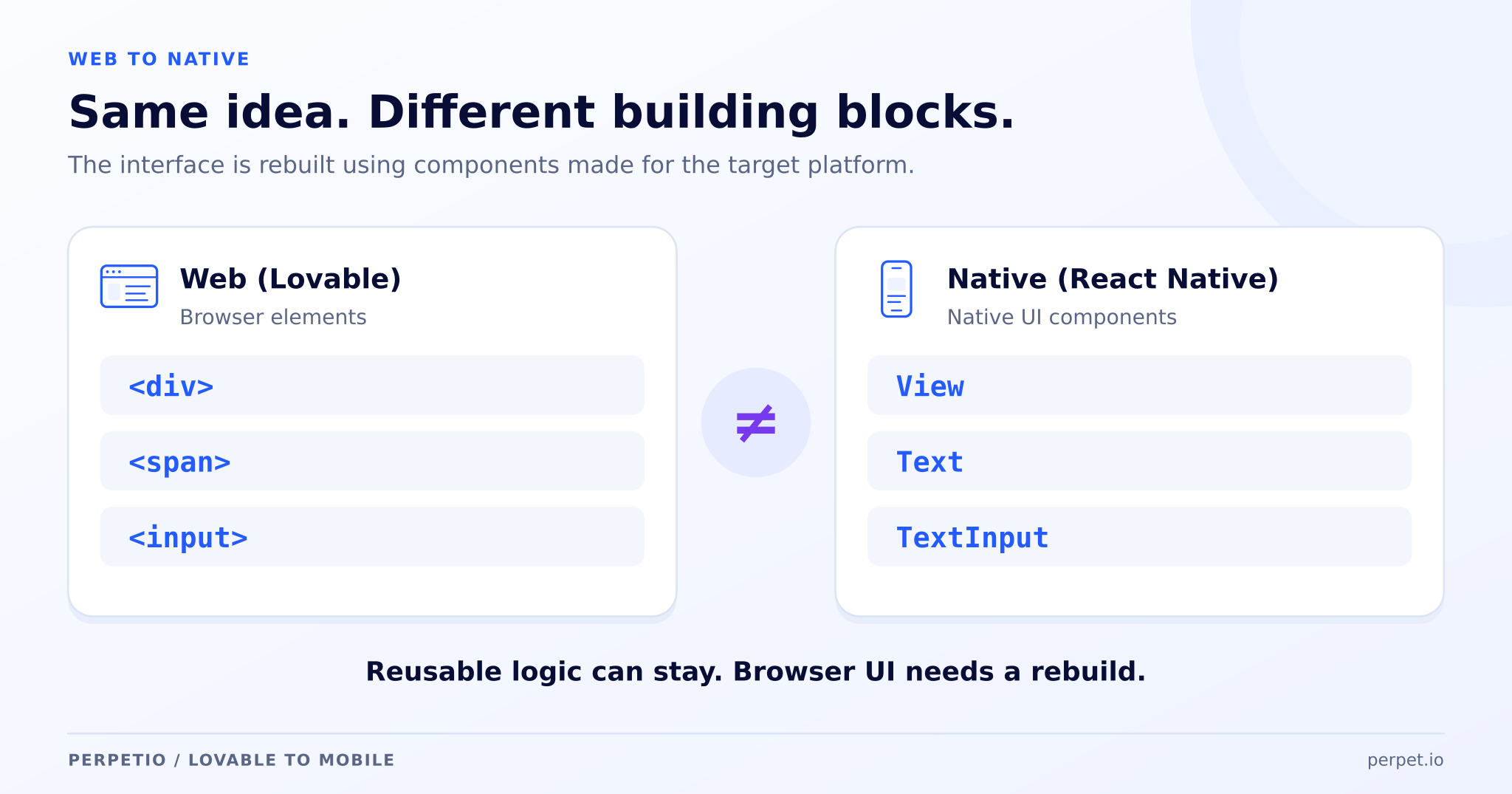
The components Lovable generates don't exist on a phone. Translating them is the actual work, and it's why "export and publish" is a myth.
So when a tool promises to "convert your Lovable app to mobile in minutes," one of two things is happening:
- It's wrapping your website in a shell (more on why that's risky below), or
- It's rebuilding the UI in a native framework, which is real engineering, no matter how much AI is involved.
There's no magic button. There's a rebuild. The only real question is which kind of rebuild fits your product, and that's a decision worth making deliberately rather than letting a converter make it for you.
The Three Paths From Lovable to a Mobile App
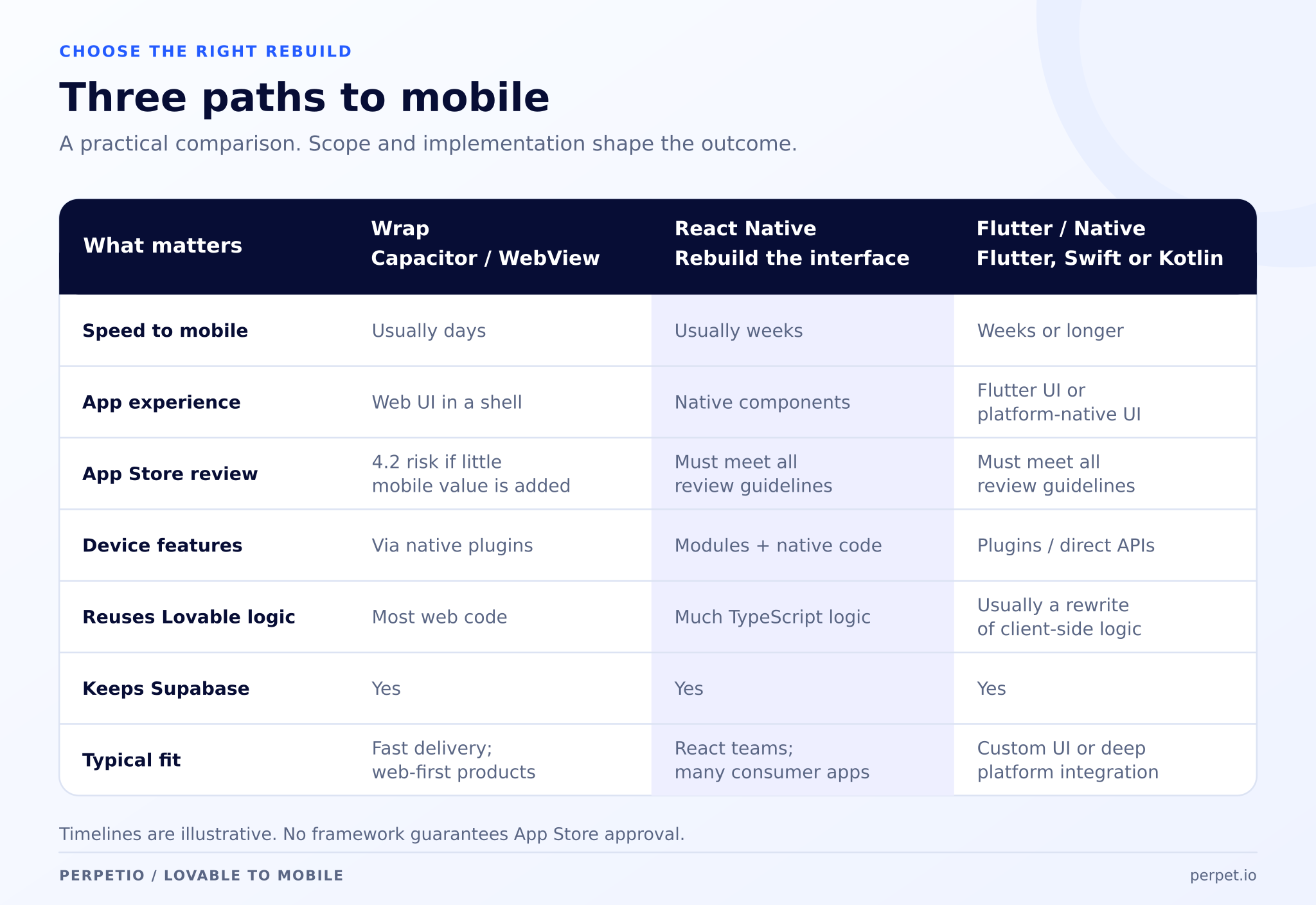
Path 1: Wrap It (Capacitor / WebView)
The fastest option. Tools like Capacitor take your existing Lovable web app and wrap it in a thin native shell, essentially a full-screen browser with an app icon. Days of work, sometimes less.
It sounds perfect. Here's what the "minutes to mobile" pitch leaves out:
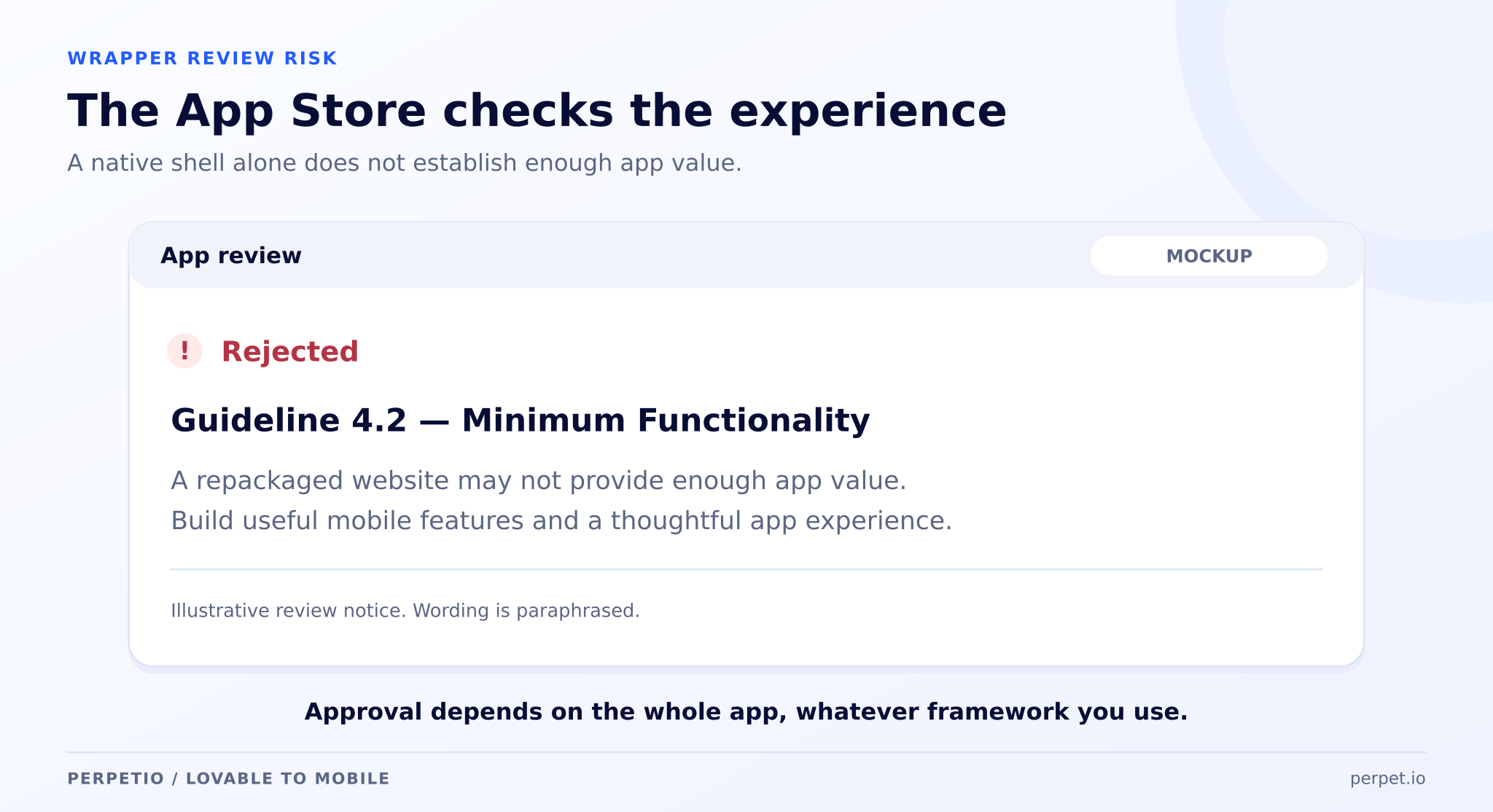
- Apple rejects these regularly. App Store Review Guideline 4.2 explicitly requires apps to be more than "a repackaged website." Reviewers test in Airplane Mode; if your wrapped web app shows a blank screen offline, that's an instant rejection. We've seen this catch founders completely by surprise after they've already announced a launch date.
- It feels webby. Scroll momentum, transitions, keyboard behavior, and gestures all carry that "this is a website in a costume" feeling, especially on mid-range Android devices.
- Limited access to the phone. The native capabilities users expect, reliable push notifications, Face ID, camera, background tasks, are awkward or unavailable through a plain wrapper.
When it's fine: an internal tool, a simple content app, or a stopgap where you genuinely add native features on top.
When it's not: anything you're charging for, anything consumer-facing, anything that has to feel like a real product.
Path 2: Rebuild the UI in React Native (the sweet spot for most)
This is where most serious Lovable migrations land, and for good reason.
Because Lovable already gave you a React app, a lot of your logic, your validation rules, your data models, your business flows, is framework-agnostic and reusable.
A React Native rebuild keeps that thinking and rebuilds the interface in true native components. The output is a real app the same way Meta's and Shopify's apps are real: it compiles to native iOS and Android binaries and passes App Store review because it is an app.
The best part for your budget and your sanity:
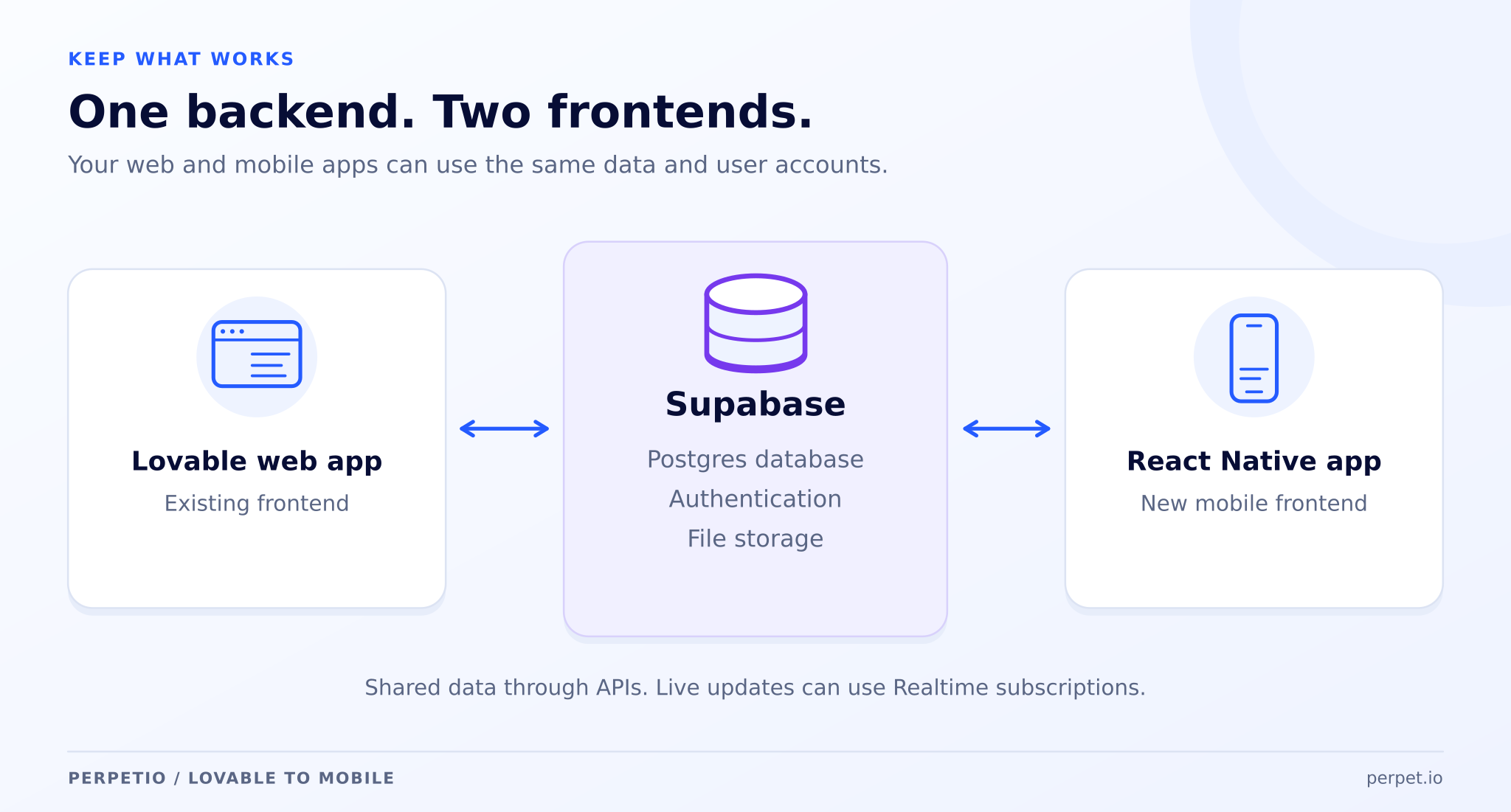
Your Supabase backend doesn't move. The same database, the same logins, the same data, work identically from a React Native app. Your users sign in with the same credentials on web and mobile, and both read and write the same database. No data migration, no password resets, no parallel systems.
It's not instant, this is a proper build measured in weeks, not minutes, but it's the path that gets you a genuine, publishable, native product without throwing away everything Lovable helped you learn.
Path 3: Rebuild Native (Flutter / Swift / Kotlin)
When performance is the product, heavy animation, real-time graphics, camera-intensive features, buttery 60fps everywhere, you go fully native or Flutter. Best possible feel, most control, longest timeline.
Even here, your Lovable-era backend can often stay: the new native app talks to the same API and database. You're rebuilding the front end for quality, not rebuilding the whole product.
The Part Everyone Skips: Check Your Backend Before You Scale
Before you put a mobile app in front of thousands of users, someone needs to look under the hood, because AI-generated backends have a well-documented habit of shipping with the doors unlocked.
This isn't hypothetical. In 2025, security researchers found a systemic issue (CVE-2025-48757) where 170+ Lovable-built apps were leaking data, names, addresses, even financial details, to anyone who knew where to look, because a Supabase security setting called Row Level Security was missing or misconfigured. A Palantir engineer reportedly reproduced the exploit over lunch.
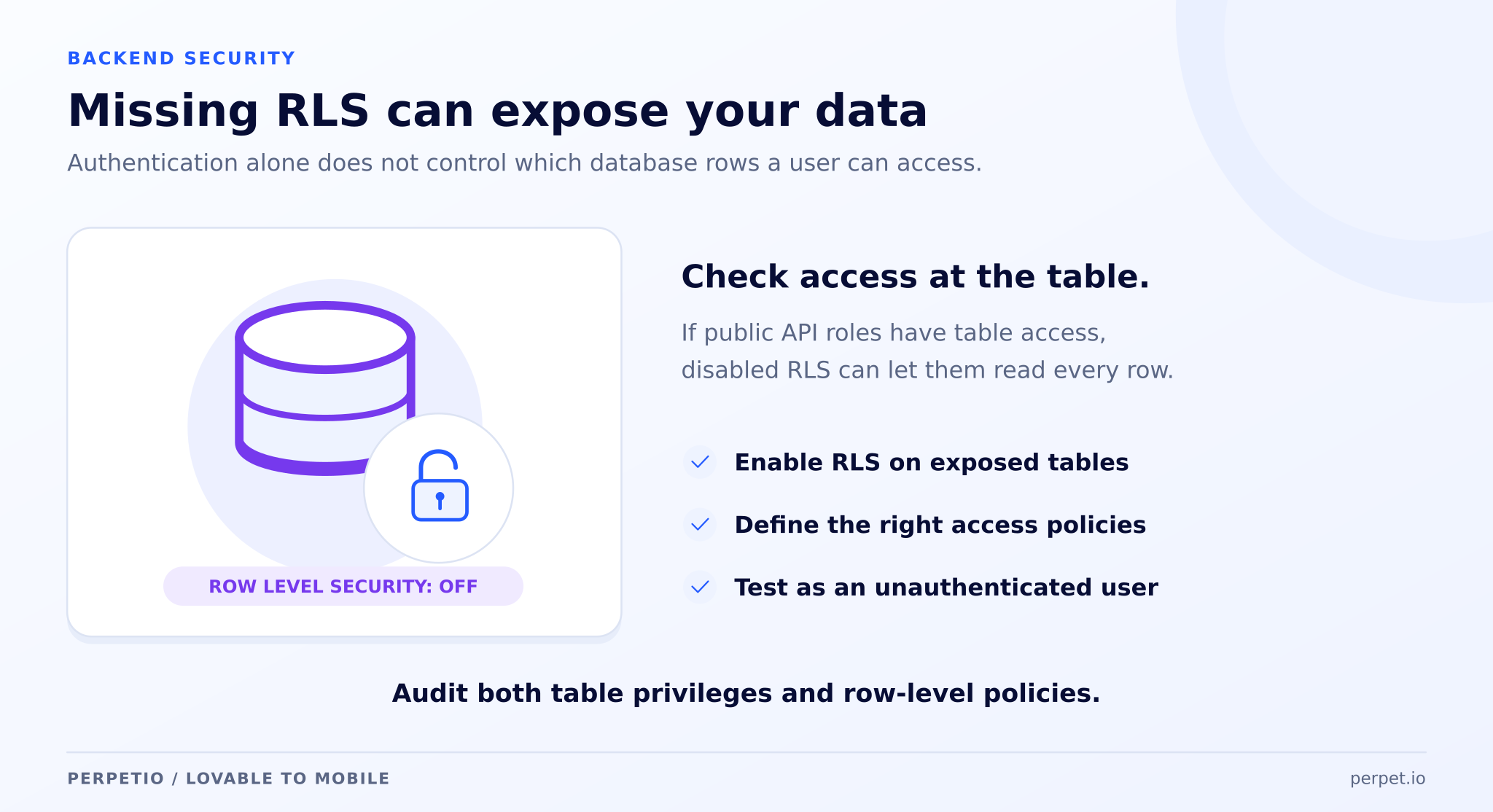
The pattern repeats across the whole category: public API keys used directly from the browser, secret keys accidentally shipped in the app, and auth checks that are silently backwards, blocking real users while waving strangers through. Lovable's own security scan checks whether a protection exists, not whether it actually works, which is a smoke alarm, not a fire inspection.
None of this means your app is doomed. It means that before you scale, you want an engineer to:
- Turn on and correctly configure Row Level Security on every table
- Get secret keys out of the app and onto a server where they belong
- Test every endpoint as an unauthenticated stranger, not just as a logged-in user
- Rotate anything that's been exposed
And it's often the moment to ask a bigger question: is raw Supabase still enough?
When You've Outgrown the Managed Backend Too
Supabase and Lovable Cloud are great for CRUD, auth, and getting started. But as your product grows, you start needing things they weren't built to do gracefully: complex business logic that shouldn't live in your app, reliable background jobs and scheduled tasks, queues, rate limiting, third-party integrations, and a properly structured, testable codebase your team can grow for years.
That's the point where we typically introduce a real backend layer, a NestJS/Node server sitting alongside Supabase, or replacing it, handling the heavy logic while your app stays clean and fast.
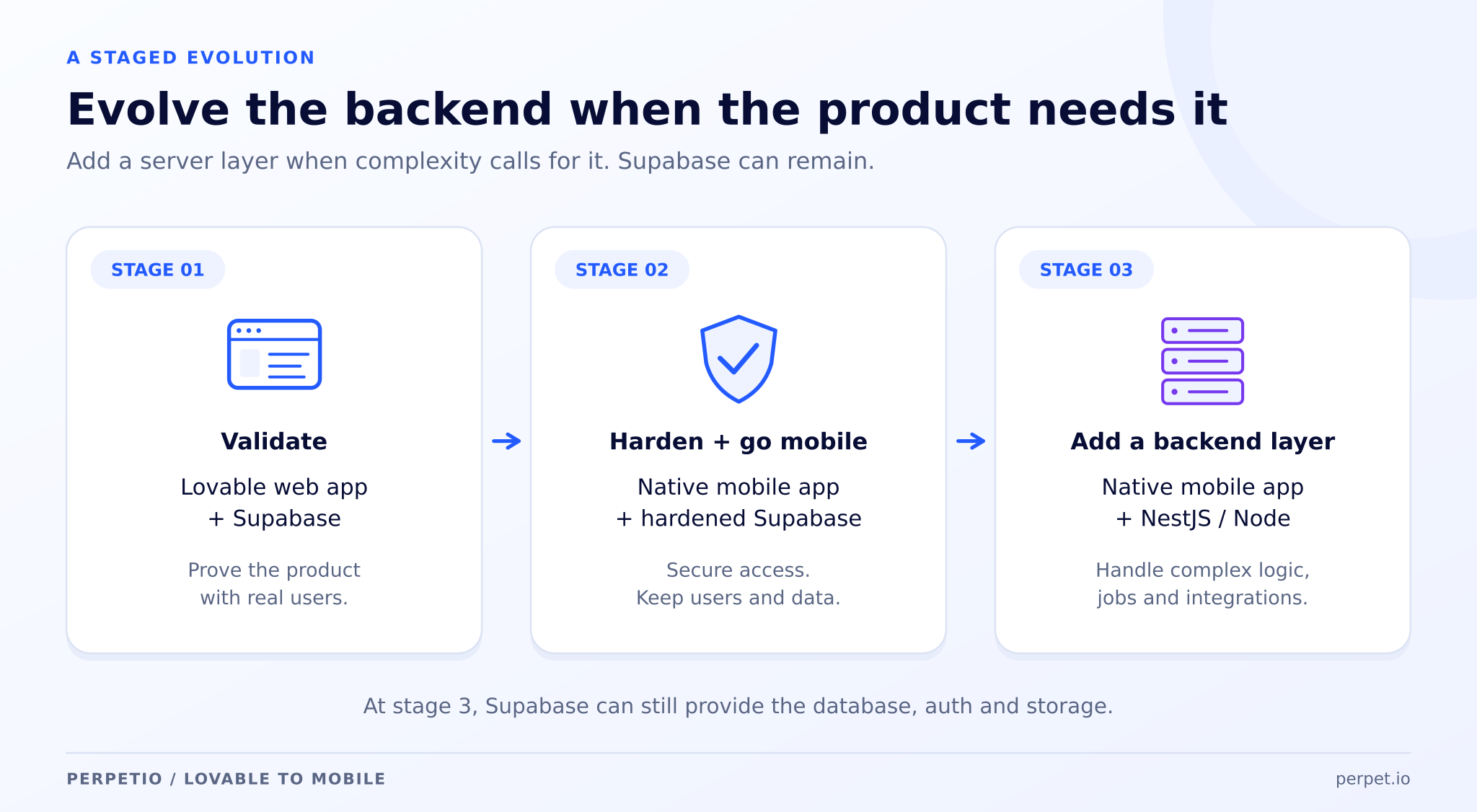
The trade-off to go in with eyes open: the more you move off a fully managed platform, the more you own operationally, hosting, SSL, monitoring, backups, secrets, and CI/CD.
That's real work, and it's a big part of why this stage is where a founder usually stops doing it solo and brings in a team.
Your Lovable Migration, in Four Sane Stages
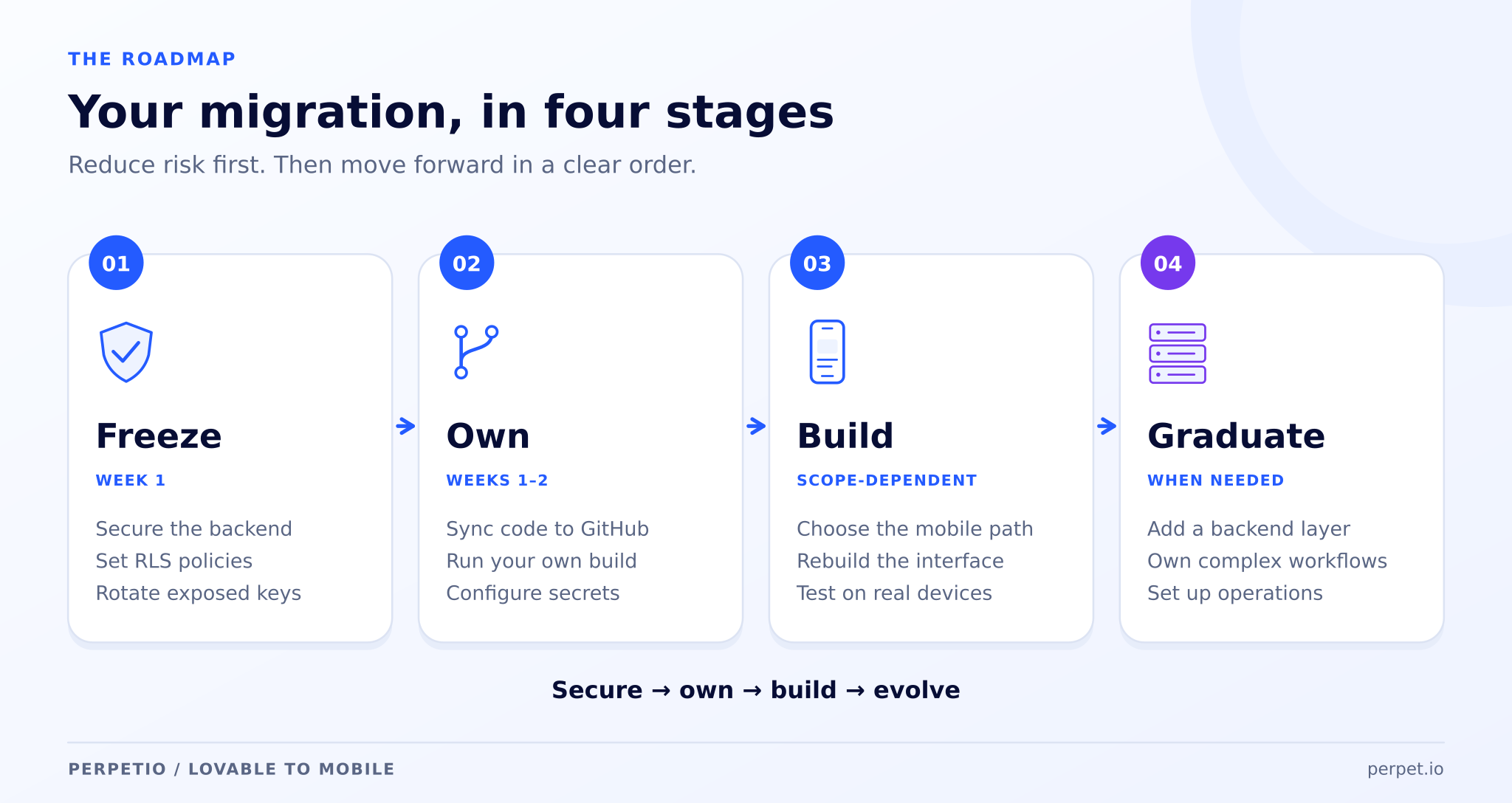
You don't have to do everything at once. Here's the order we'd actually recommend:
- Freeze the risk (week 1). Lock down the backend, RLS on, secrets off the client, endpoints tested as a stranger, keys rotated. Cheapest, highest-impact step no matter what you do next.
- Take ownership (week 1–2). Turn on GitHub sync, export your code, and stand it up in an environment you control. Remember: your secrets and API keys don't come along automatically, they have to be re-added.
- Build the mobile app. Pick your path. For most consumer products, that's a React Native rebuild of the UI on top of your existing Supabase backend, real, native, and publishable.
- Graduate the backend when the signals appear. Approaching serious user numbers, handling sensitive data, drowning in background jobs, or watching your Lovable bill climb? That's when the NestJS layer earns its place.
The Honest Bottom Line
Lovable isn't the villain here. It did exactly what it's great at: it let you build and validate a real product without a development team, fast and cheap. That was the smart move.
But the leap from "validated web MVP" to "native app in the App Store with a backend that won't leak or fall over" isn't a prompt. It's a rebuild of the front end, a hardening of the backend, and a few deliberate architecture decisions, the kind of work where you want engineers in the room, not a converter that hides the trade-offs from you until App Store review surfaces them.
If your Lovable app has found its people and you're ready to give them a real app to download, that's precisely the migration we do: React Native, Flutter, native iOS and Android, and the NestJS backends underneath them. We'll tell you honestly which path your product actually needs, and we won't sell you a wrapper you'll regret.
Have a Lovable project you're ready to take to the App Store? Let's talk.
FAQ: Migrating From Lovable to a Mobile App
Can you turn a Lovable app into a mobile app?
Not directly. Lovable builds web apps, so there's no native iOS or Android version to export. You either wrap the web app in a native shell (fast, but often rejected by Apple and feels webby) or rebuild the interface in a native framework like React Native or Flutter. Your Supabase backend can carry over in every case.
Is Lovable good enough for production?
For a validated MVP with modest traffic, often yes, once the backend is hardened. Before scaling, you need to fix common issues like missing Row Level Security, exposed keys, and inverted auth checks, and eventually you'll likely outgrow the managed backend for anything with heavy business logic or compliance needs.
Do I own my Lovable code?
Yes. Lovable syncs to GitHub and generates a standard React, TypeScript and Vite codebase, so you can export it and hand it to any developer. Note that your secrets and API keys don't transfer automatically, they have to be re-added in your new environment.
Will my data and users carry over to the mobile app?
If you keep your Supabase backend, yes, with no migration. A React Native or Flutter app connects to the same database and auth, so users log in with the same credentials and web and mobile stay in sync.
How long does it take to rebuild a Lovable app as a native mobile app?
A wrapper can be ready in days but carries real App Store risk. A proper React Native or Flutter rebuild of the UI on top of your existing backend is measured in weeks, with the exact timeline depending on how many screens and features you have.