Documentation is often spread across dozens or even hundreds of PDF files. Users need to manually search through multiple documents, jump between pages, and piece together information from different sources.
A more convenient approach is to let users ask questions in natural language and receive answers generated directly from the documentation. To achieve this, we explored whether a Flutter application with a local AI model could answer questions based on numerous PDF manuals and technical documentation.
The solution is based on Retrieval-Augmented Generation (RAG).
Previously, we shared how to integrate a local LLM into a Flutter app. Today, we will add the RAG to the equation.
What is RAG?
Retrieval-Augmented Generation (RAG) is a method that provides an AI model with additional context to to use when generating a response.
The model receives relevant information retrieved from a custom knowledge base and uses it to answer the user's question.
In our case, the knowledge base consists of PDF documentation converted into searchable text.
The implementation can be divided into four main steps:
- Extract content from PDF files. Images, diagrams, tables, and other visual content should also be processed. One option is to use an AI model to generate text descriptions for them, although this can also be done manually at the cost of significantly more time and effort.
- Divide the text into chunks and convert the content into embeddings. An embedding model is a type of AI model that converts complex data such as text, images, or audio into numerical vectors known as embeddings.
- Store the embeddings in the local database.
- When a query is made, we first pass it to the embedding model. It searches the database and returns context, and we then pass this context to a regular model, which generates the answer. Regular models (the ones I talked about during the presentation) are also called inference models.
Let's take a closer look at each step.
Step 1: Extracting Content from PDF Files
The first challenge is converting PDF documents into text that can be processed by AI models.
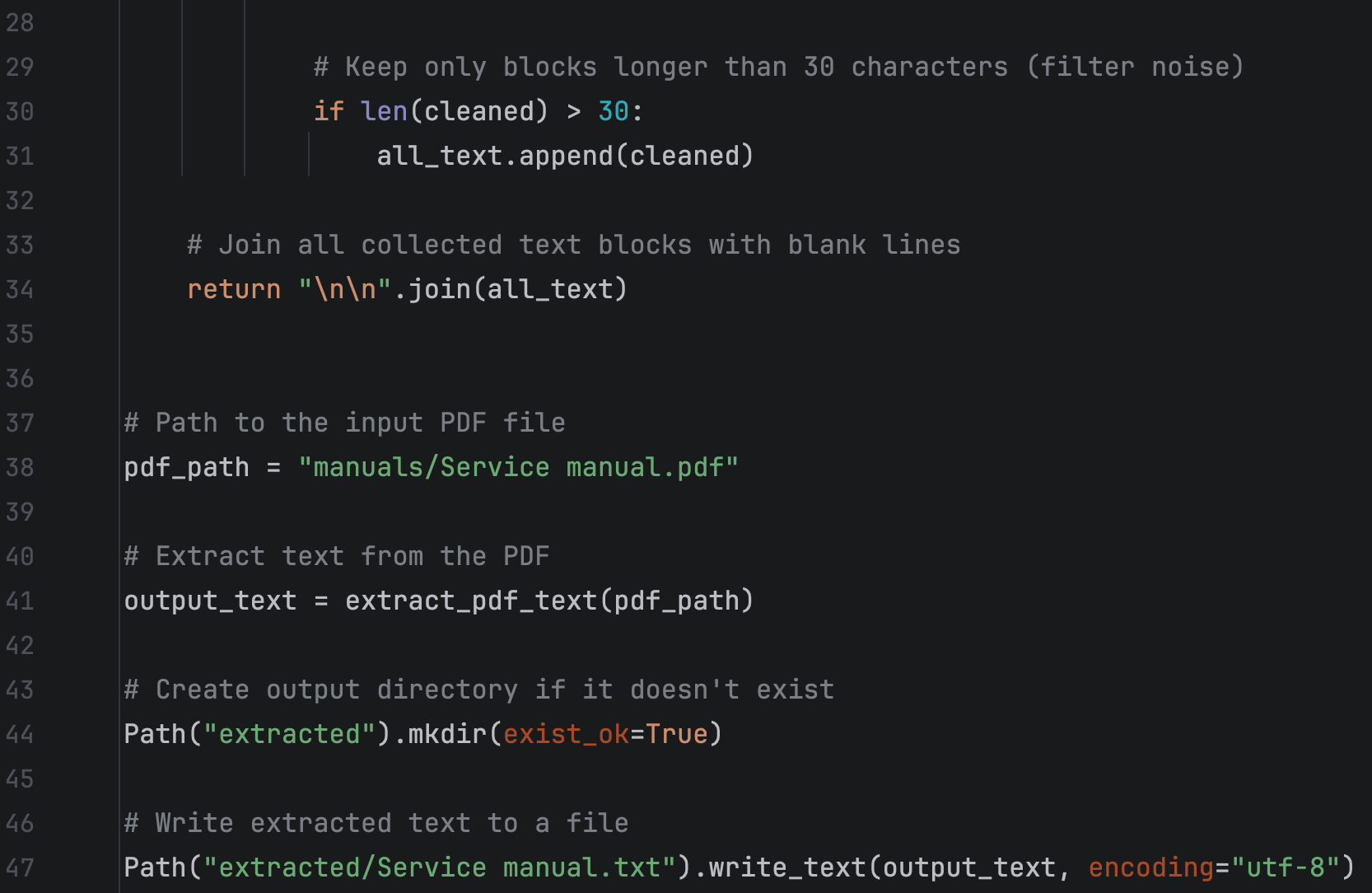
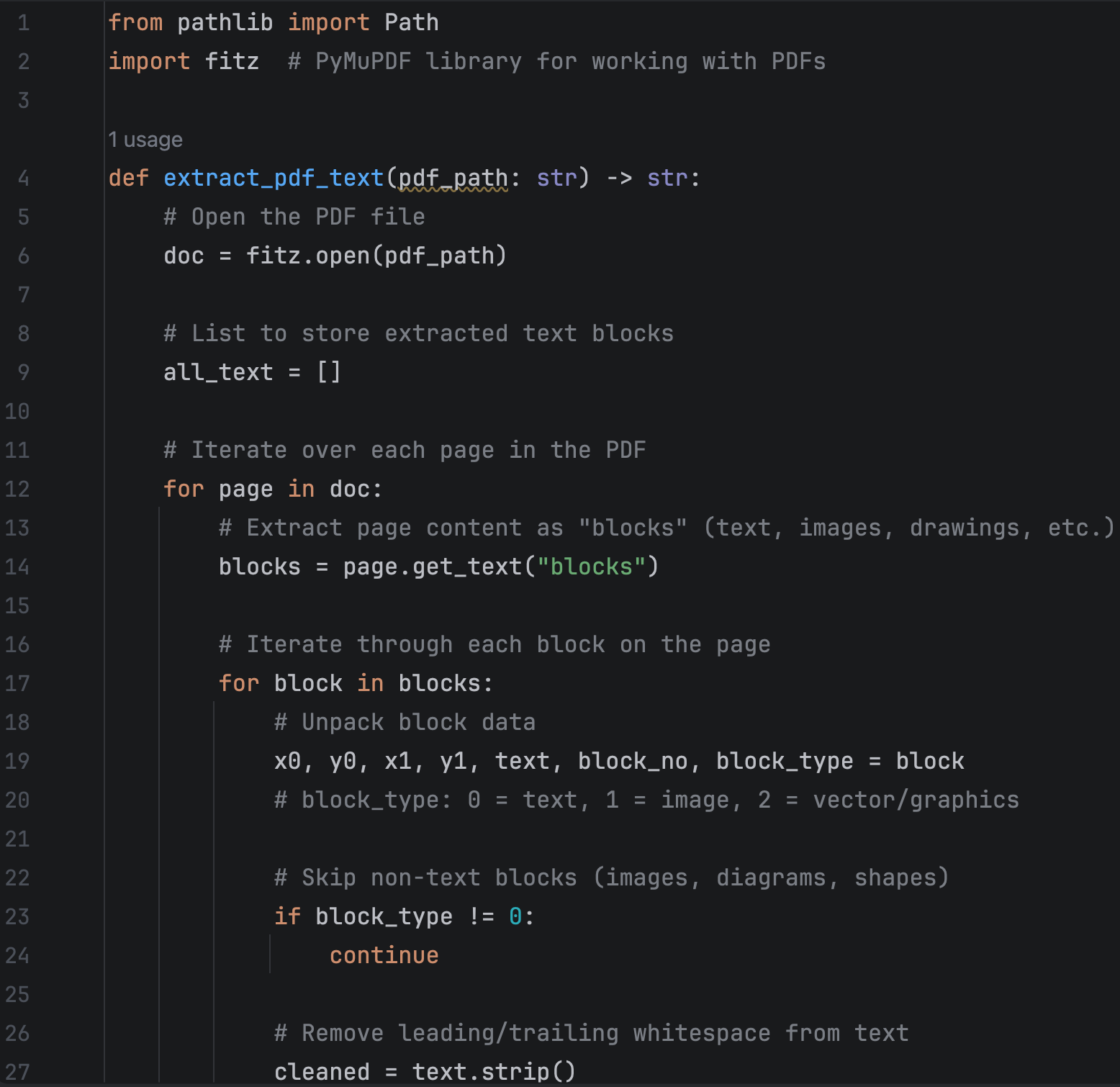
For text extraction, we used the Python library PyMuPDF. The library makes it possible to read PDF files and extract their textual content with relatively little effort.
We extracted only text, without diagrams, tables, and such.
Step 2: Splitting Documents into Chunks
Once the text is extracted, it must be divided into smaller sections called chunks.
Chunking is a critical part of any RAG pipeline because embeddings are generated for individual chunks rather than entire documents.
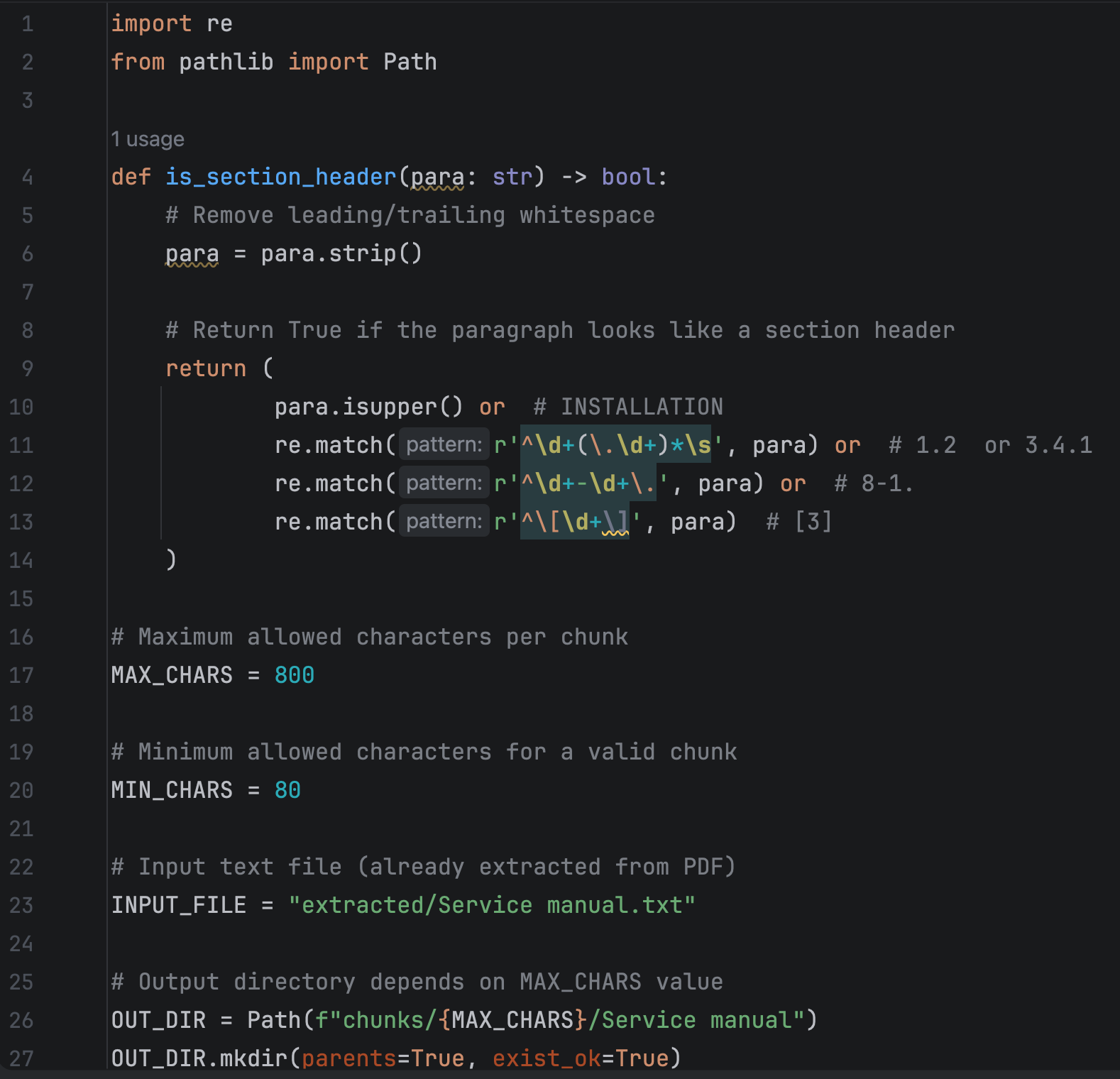
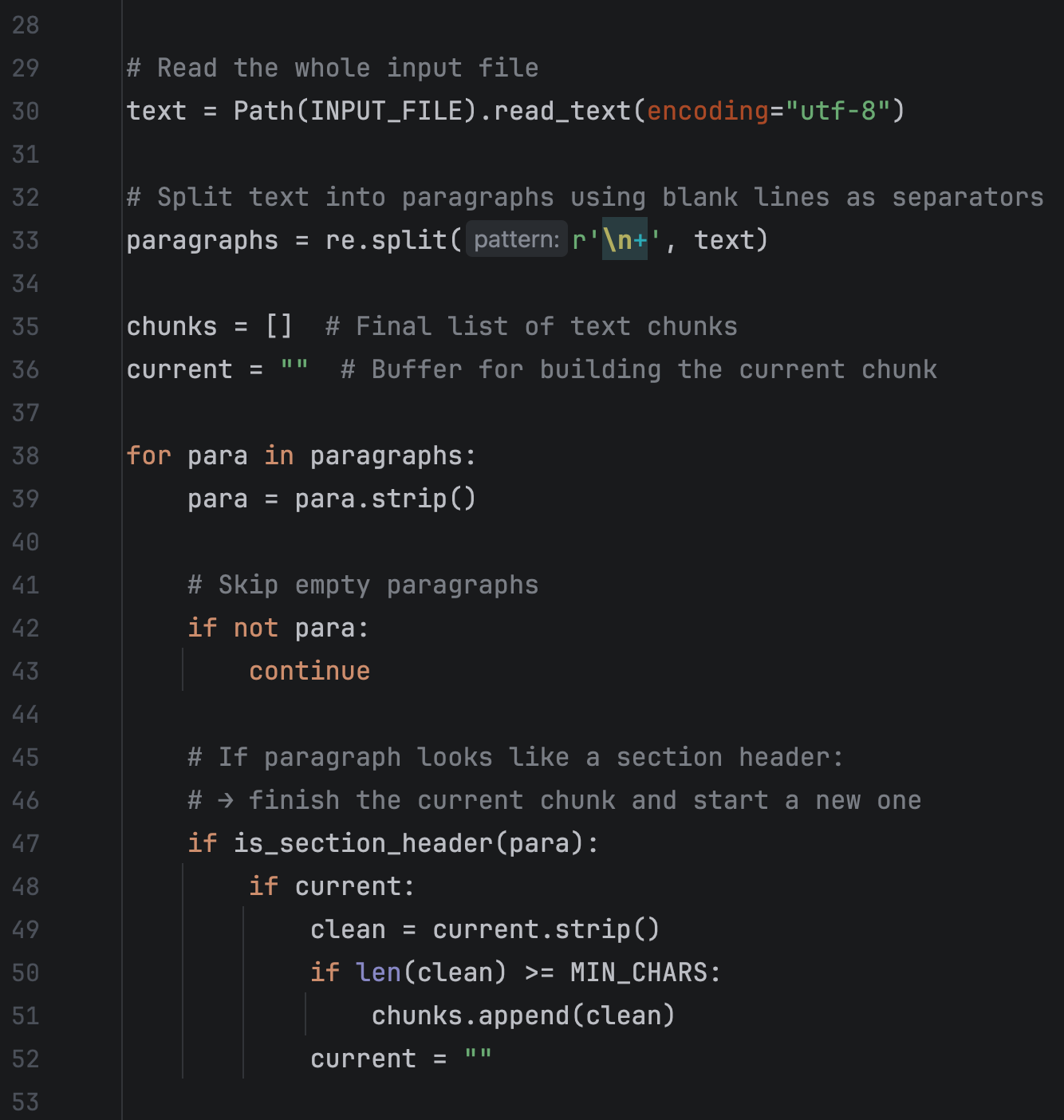
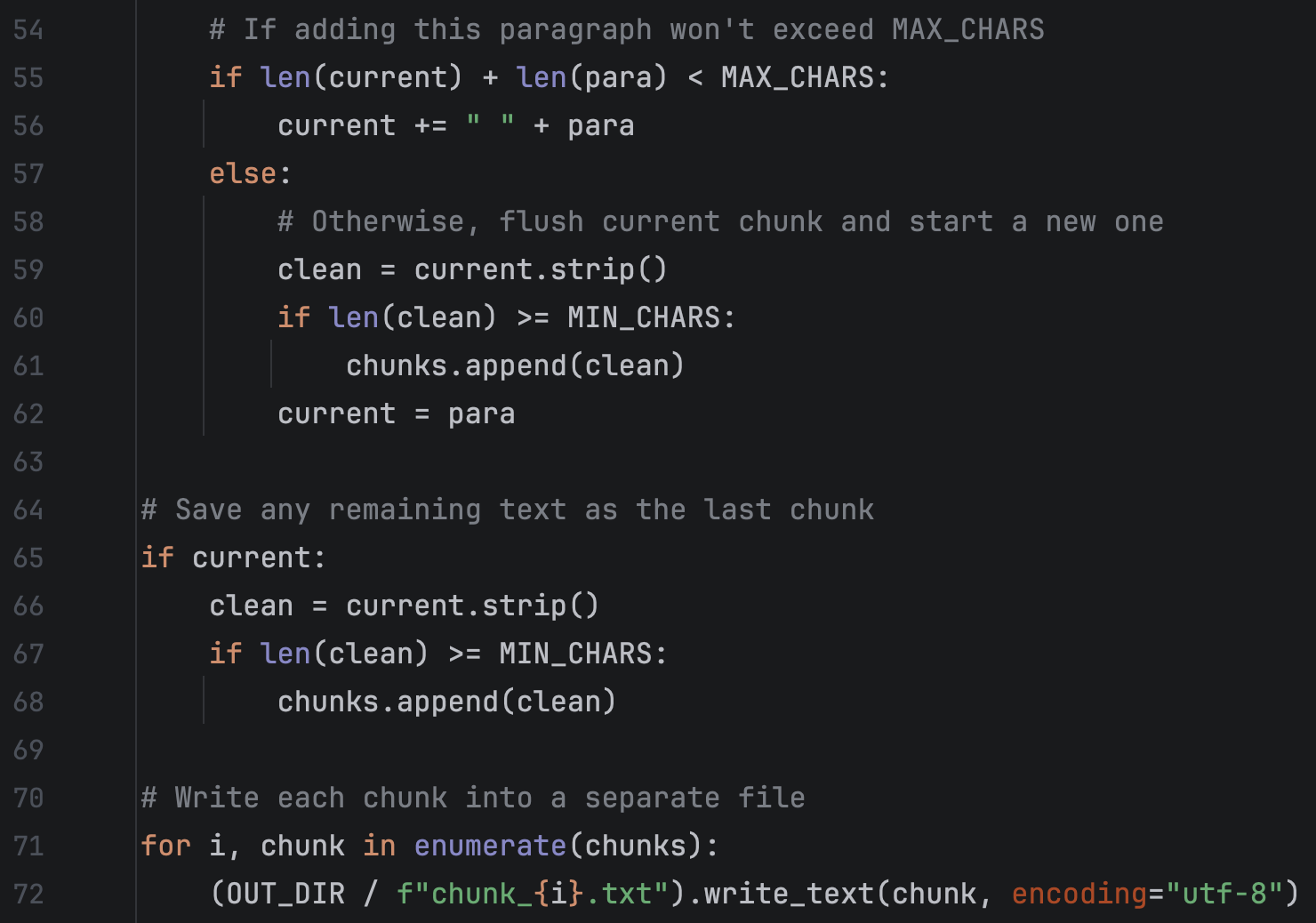
Choosing the right chunk size has a significant impact on search quality.
What happens if the chucks are too small?
If chunks contain only 200–300 characters:
- Info gets split across many tiny chunks
- Search may return only part of the answer
- LLM lacks full context → vague or wrong answers
What happens if the chucks are too big?
If chunks contain 2,000–3,000 characters:
- Each chunk contains many topics
- Embeddings become “blurred”
- Search returns irrelevant text
- Prompt becomes very long → slower + token limits
Finding the right balance is essential. In our experiments, medium-sized chunks generally produced the best results.
Step 3: Generating Embeddings
The next steps take place on the Flutter side. First, we need to install the embedding model, which is done in a similar way to installing an inference model.

After that, embeddings can be generated.
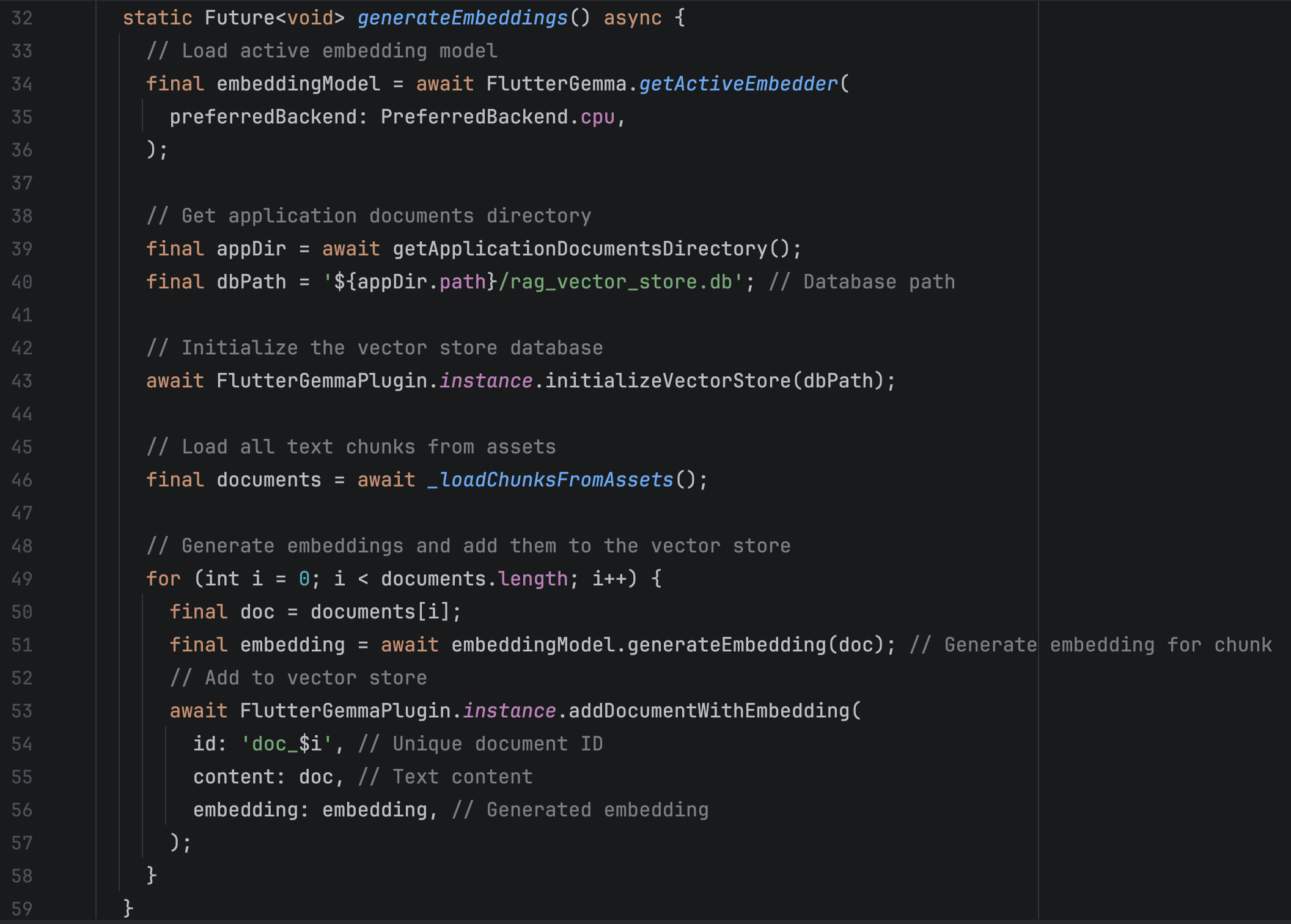
The chunks generated in the previous step were moved to the Flutter project's assets folder. Their contents are then loaded in the _loadChunksFromAssets method.
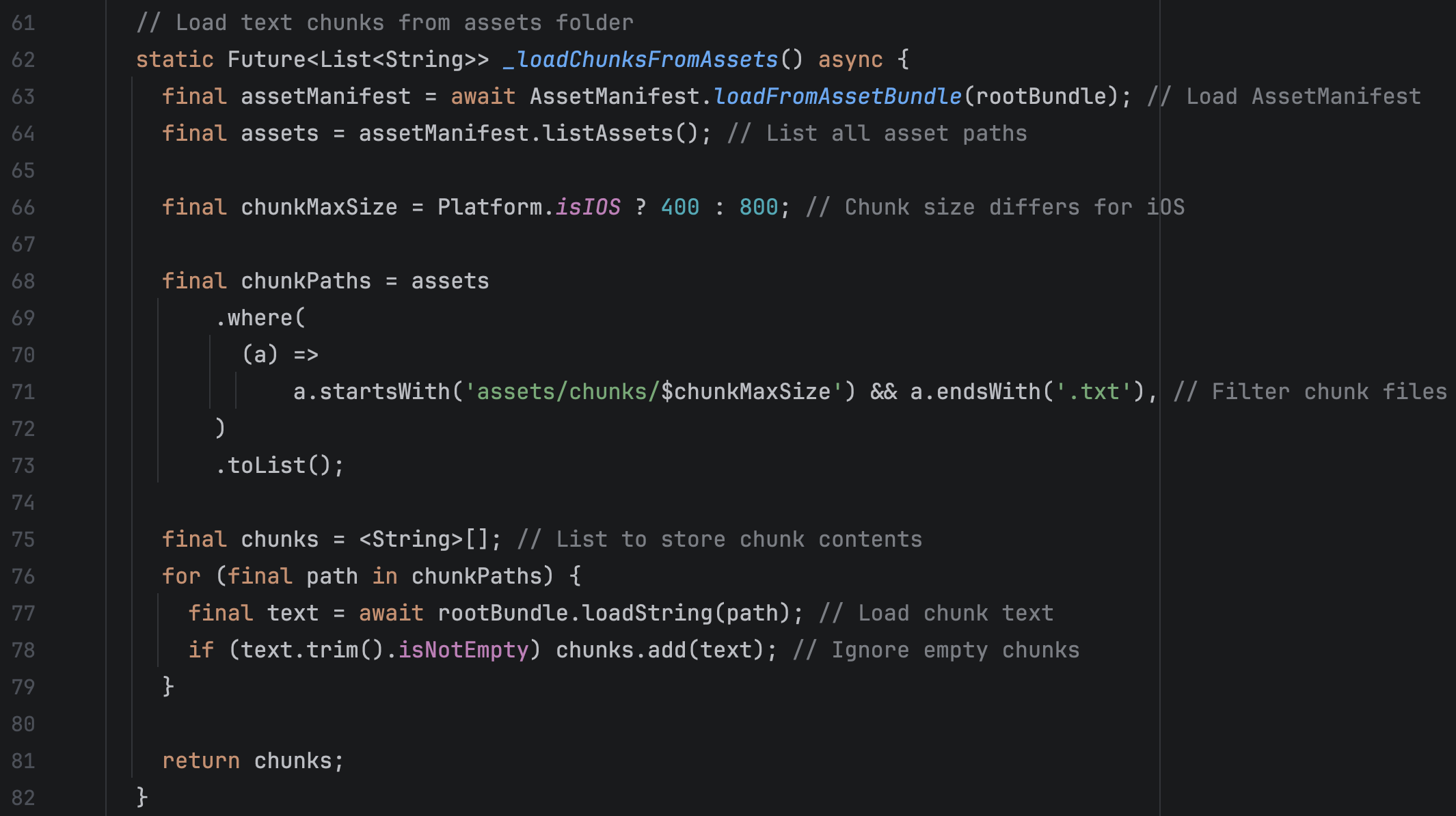
Platform-specific considerations to know
During testing, we observed differences between Android and iOS.
On Android, chunks containing up to 800 characters were processed successfully, and both embedding generation and response generation were generally fast and reliable.
On iOS, larger chunks occasionally caused memory-related issues. Reducing chunk size to approximately 400 characters improved stability, although it also reduced answer quality because less context was available during retrieval.
At the time of testing, it was unclear whether these limitations were caused by the underlying library or the hardware capabilities of the test device, iPhone 12.
Step 4: Retrieving Context and Generating Answers
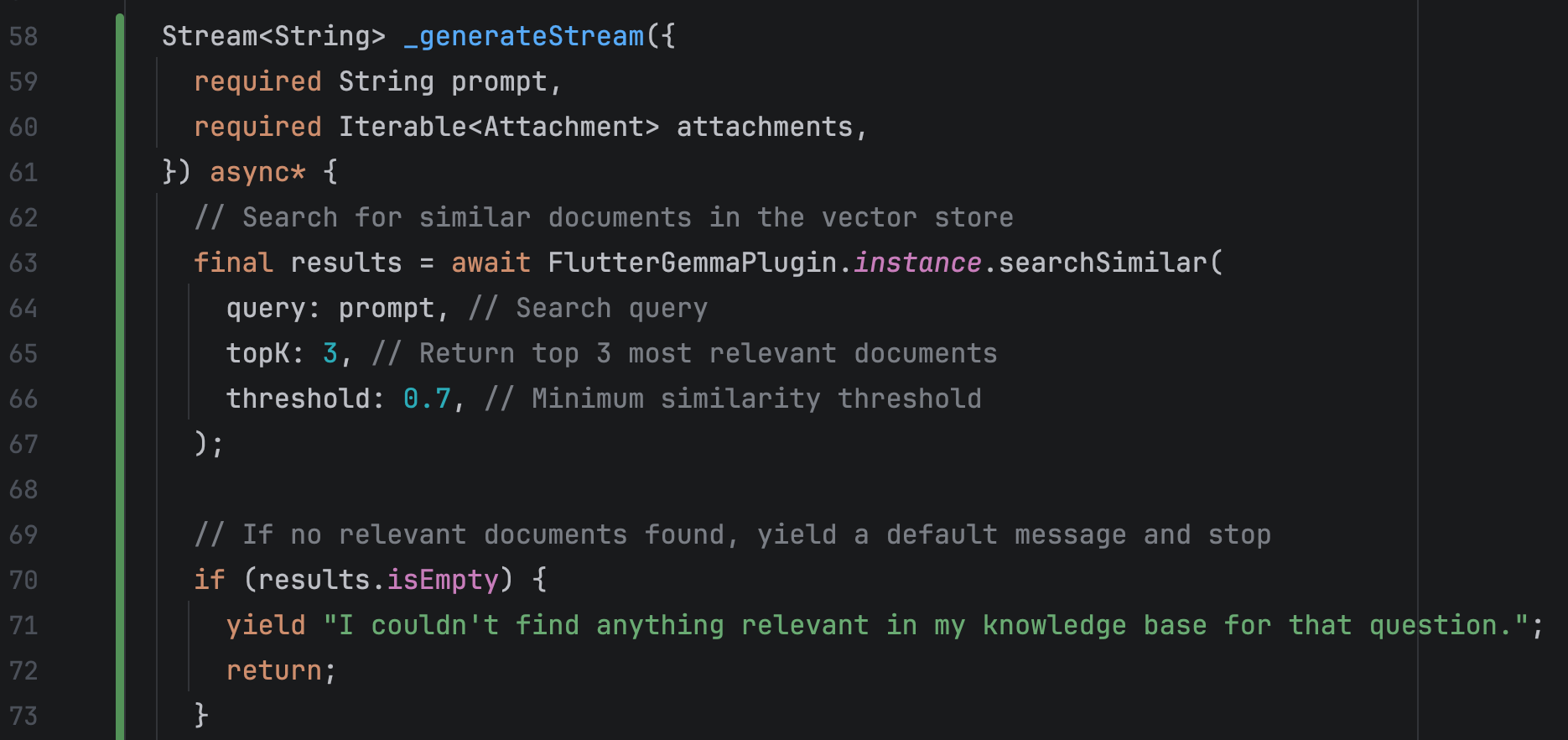
At this point, we have a vector store containing the generated embeddings, and we can move on to the changes we made in FlutterGemmaLlmProvider, specifically in the _generateStream method.
searchSimilar generates an embedding for the prompt under the hood and compares it with the embeddings stored in the database we created in the previous step.
Each result returned by searchSimilar contains the parameters id, content, similarity, and metadata. Content is the text from which the embedding was originally generated, while similarity represents how closely it matches the query embedding, with values ranging from 0.0 to 1.0.
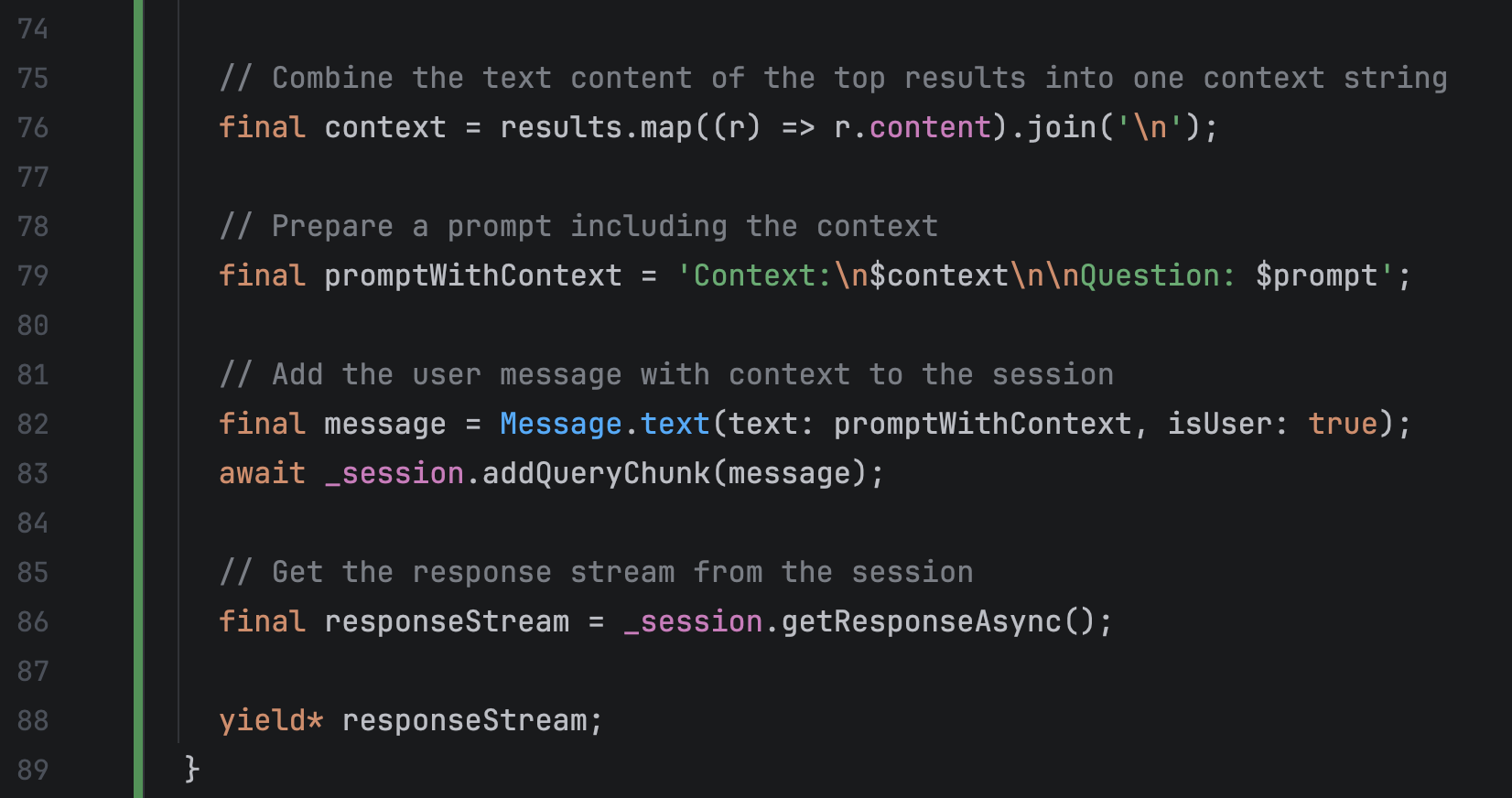
Next, we combine the retrieved results into a single context and generate a prompt by merging that context with the user’s question into one message.
As a result, the inference model receives a prompt that already contains the relevant context. From that point on, the process remains the same: the inference model generates an answer, and the provider passes it to the view.
Current Challenges and Limitations
The prototype successfully demonstrated that local RAG can significantly improve document search and question answering. However, several challenges remain.
Vector database persistence
One unexpected issue was that the embedding database was not preserved between application launches. Each restart required embeddings to be generated again.
Potential solutions include:
- Storing the database in a different location (currently it's getApplicationDocumentsDirectory)
- Generating embeddings separately (e.g. in Python)
- Downloading model already with the database into the app.
PDF quality
The current implementation (Python script) focuses primarily on text extraction. Since diagrams, tables, and images are ignored, some information is inevitably lost.
A more advanced pipeline could use multimodal AI models to analyze visual content and convert it into descriptive text before generating embeddings.
Conclusion
Our experiment shows that it is entirely possible to build a local AI assistant that answers questions based on PDF documentation using Flutter and RAG.
By combining PDF processing, embeddings, vector search, and local inference models, developers can create applications that transform static documentation into interactive knowledge bases.
While there are still challenges related to memory management, vector storage, and document preprocessing, the overall approach provides a practical foundation for building privacy-friendly AI assistants that work directly on user devices without relying on cloud services.
If you need consulting on RAG and LLMs for your project or want it done for you, don't hesitate to get all your questions answered on a free tech consultation for Perpetio.